AI Side Hustles You Can Start From Anywhere in 2026: Match the Tool to Your Skills
November 2026. Match writing, video, slides, a website, or a spreadsheet to one catalog tool. Facts are from official pages read on 2026-11-10 (Tue). Results depend on you. No earnings figure.
Disclosure: Some links on TOOLPORT are affiliate links (marked Affiliate); we may earn a commission at no extra cost to you. Articles are drafted with AI assistance and based on each vendor's official information.
Pages read on 2026-11-10 (Tue), Asia/Tokyo. The notes below come from each company's own page body that day. This is not a hands-on test. No account was created, no file was uploaded, and no plan was purchased.
Affiliate disclosure. The Rytr, Fliki, Gamma, Durable, and Julius buttons are referral links. If you sign up through them, TOOLPORT may earn a commission at no extra cost to you. The commission does not change this guide. TOOLPORT does not sell these subscriptions. Affiliate disclosure.
A side hustle here means work you might offer on your own, from wherever you already are. This page matches five situations to one tool already in the TOOLPORT catalog. It does not say what you will earn. Results depend on you, the client, and the platform. Platform rules and tax rules differ by country. Check both before you charge anyone.
Each section has the kind of work the official page describes, a short first-steps list, and the links that already exist on TOOLPORT. Plan prices are the figures on the pricing page that day. Check current pricing before you pay.
AI side hustles: pick your path (2026)
Your situation | Catalog tool | Work the official page describes | Read next on TOOLPORT |
|---|---|---|---|
You write emails, posts, or pages | Rytr | Turn a rough idea into an email, post, or page, and draft a follow-up that waits for you | Rytr guide, and the Rytr card |
You can describe a video and you are not on camera | Fliki | Paste a script, a blog post, or a one-line prompt and get a video with an AI voice | Fliki guide, and the video catalog |
You make slides, docs, or simple visual pages | Gamma | Presentations, documents, social visuals, and websites | Gamma guide, and the 2026 comparison |
You need a small-business website | Durable | A website, plus on-brand images for a logo, ads, and the site | Durable comparison, and the web catalog |
You have a spreadsheet and a question | Julius | Ask a file for an answer or a chart, in plain language | Julius comparison, and the data catalog |
Who this is not for (2026)
- Anyone who wants a promised income, or a dollar figure for what they will make. This page has no earnings number.
- Anyone who wants a hands-on review. Nothing on this page was tried in an account.
- Anyone who needs a local business license, a payment account, or a store permit. This page does not cover that.
- Anyone whose work is meeting notes. That is a separate comparison, linked at the end. This page does not restate those plan facts.
- Anyone looking for a tool that is not in the catalog. Each path below uses one catalog tool.
Writing: Rytr (2026)
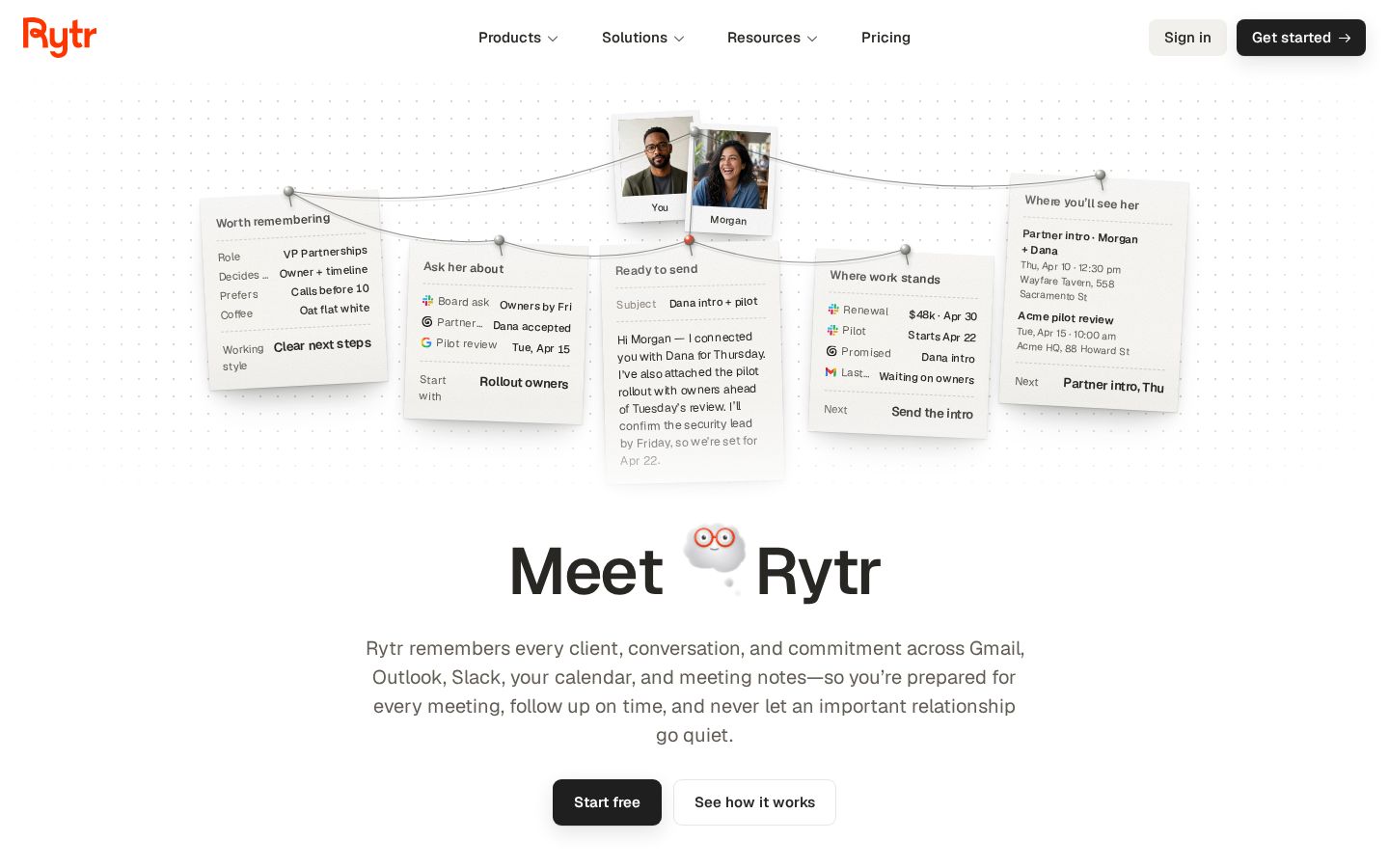
The Rytr homepage heading read on 2026-11-10 is Meet Rytr. Under it, the page says Rytr remembers every client, conversation, and commitment across Gmail, Outlook, Slack, your calendar, and meeting notes.
The writing path is the Create section on that same page. It says: turn a rough idea into an email, post, or page that sounds like you. The same section says 40 use cases, from emails to ads, your own voice or one of 22 tones, and 38 languages, up to three drafts at once. A later line says Create in any text box can improve, shorten, expand, or continue what you are writing.
The page also says follow-up drafts wait for your approval, and that nothing goes out without your approval. That is a product claim on the homepage. This guide did not send a message.
The pricing page says choose Free, Lite, Personal, or Pro, and save 20% with yearly billing. The fetched body shows a Monthly and Yearly control. The prices below are the monthly figures on that body. The yearly control says the saving is 20% and that yearly billing is billed annually. It does not print a second set of dollar amounts.
- Free is labeled free forever. The card lists 10,000 characters per month, 40+ writing use cases, and 30+ languages. It also lists one connected source, 25 active relationships, 25 Engage actions per month, 3 person research runs, and a daily briefing.
- Lite is $9/mo on that monthly view. The card says unlimited characters per month, and everything in Free.
- Personal is $19/mo and Pro is $49/mo on that same view. Check current pricing.
The homepage Create section says 38 languages. The Free card says 30+ languages. The homepage says 40 use cases. The Free card says 40+ writing use cases. This guide does not pick one count.
Rytr's catalog card is under assistant, not the writing filter. Open Rytr in the catalog. The writing category is the nearby list. It does not contain the Rytr card. The TOOLPORT Rytr guide is an earlier article. The Rytr facts in this section are the homepage and pricing body read on 2026-11-10.
First steps:
- Open Rytr from the button. Read the homepage Create section and the pricing page.
- Use a rough note you already have. The page says Create turns that into an email, post, or page.
- Read the Free card before you rely on a limit. The monthly character count on that card is 10,000.
- If you would publish or charge for the writing, check the platform's rules and your country's tax rules first.
Video: Fliki (2026)
The Fliki homepage says turn text into videos with AI voices. The text-to-video section says to paste a script, a blog post, or a one-line prompt. It says the text-to-video AI writes the script, picks visuals, and adds an AI voiceover, music, and subtitles.
A creators section says you can make short-form video without showing your face, and it says no camera, no editing skills, and no expensive gear. A pricing FAQ says the tool is web-based, and that you need a device with internet and a browser, preferably Chrome. The same FAQ says prior experience as a designer or video editor is not required. This guide did not make a video.
The text-to-speech section on the homepage says 2,000+ lifelike AI voices in 80+ languages. The Free card on the pricing page says 300 voices across 80+ languages. Those are different lines. This guide does not merge them.
The pricing page says free forever, and the Free card says no credit card required. That card lists 3 credits per month, videos from ideas, scripts, blog posts, or PPTs, HD 720p, and a Fliki watermark. The compare table says the Free export length is 5 minutes. A pricing FAQ says you can generate 5 minutes of free audio and video content per month. The Free card's 3 credits and those 5-minute lines are all on the page. This guide does not turn them into one limit.
Standard and Premium cards name credits, length, and resolution. The dollar amount was not in the text fetched for those two cards. A yearly control says 25% off. Check current pricing. A payment FAQ says prices are listed in USD.
Open Fliki in the catalog and the English AI video tools strip. Longer TOOLPORT articles: the Fliki guide and the faceless video guide. A separate comparison covers browser editors: FlexClip vs CapCut vs invideo (2026). This section stays with Fliki, the text-to-video tool.
First steps:
- Open Fliki from the button. Read the text-to-video section and the pricing page.
- Start from text you already wrote: a script, a blog post, or one line, which is what that section names.
- Read the Free card before you export. It names a watermark and 720p.
- Before you post the video or charge for it, read the rules of the place you would publish, and your local tax rules.
Slides and design: Gamma (2026)
The Gamma homepage heading is Visual storytelling without limits. The page calls Gamma a visual communication platform for presentations, documents, and more. Named formats on the page include presentations, documents, social media visuals, and websites.
The homepage says the draft starts with an outline, then chat beside the deck. It says you can import PowerPoint and PDF, and export to PowerPoint, PDF, and more. A line says you can prompt a site and share the link. This guide did not generate a deck.
The pricing page has Individual and Business, and Pay monthly and Pay annually, with the line save up to 28% with annual billing. The fetched body is the annual individual view. It says no credit card required. Free is $0, with 400 credits at signup, up to 10 slides per prompt, and simple presentations, docs, websites, social, and images. The Free list also says import from PDF and PPTX, and export to PDF, PPTX, PNG, and Google Slides.
On that same annual view, Plus is $9 per seat per month and $108 per seat, billed annually. Pro is $18 and $216. Ultra is $90 and $1,080. The monthly dollar amounts for those paid cards were not in the fetched body. The page says prices are subject to tax depending on your location. The same page says Gamma is a SOC 2 Type II compliant organization. Check current pricing.
Open Gamma in the catalog. TOOLPORT already has a Gamma guide and Gamma vs Beautiful.ai vs Plus AI (2026). The comparison is the longer pricing read. This section is only the match for slides and simple visual pages.
First steps:
- Open Gamma from the button. Read the homepage formats and the pricing page.
- Start from an outline you already have. The homepage says the draft starts with an outline.
- Read the Free card before you count on export. It names PDF, PPTX, PNG, and Google Slides.
- If a client would pay for the deck, agree the scope in writing, and check tax rules where you live.
Websites: Durable (2026)
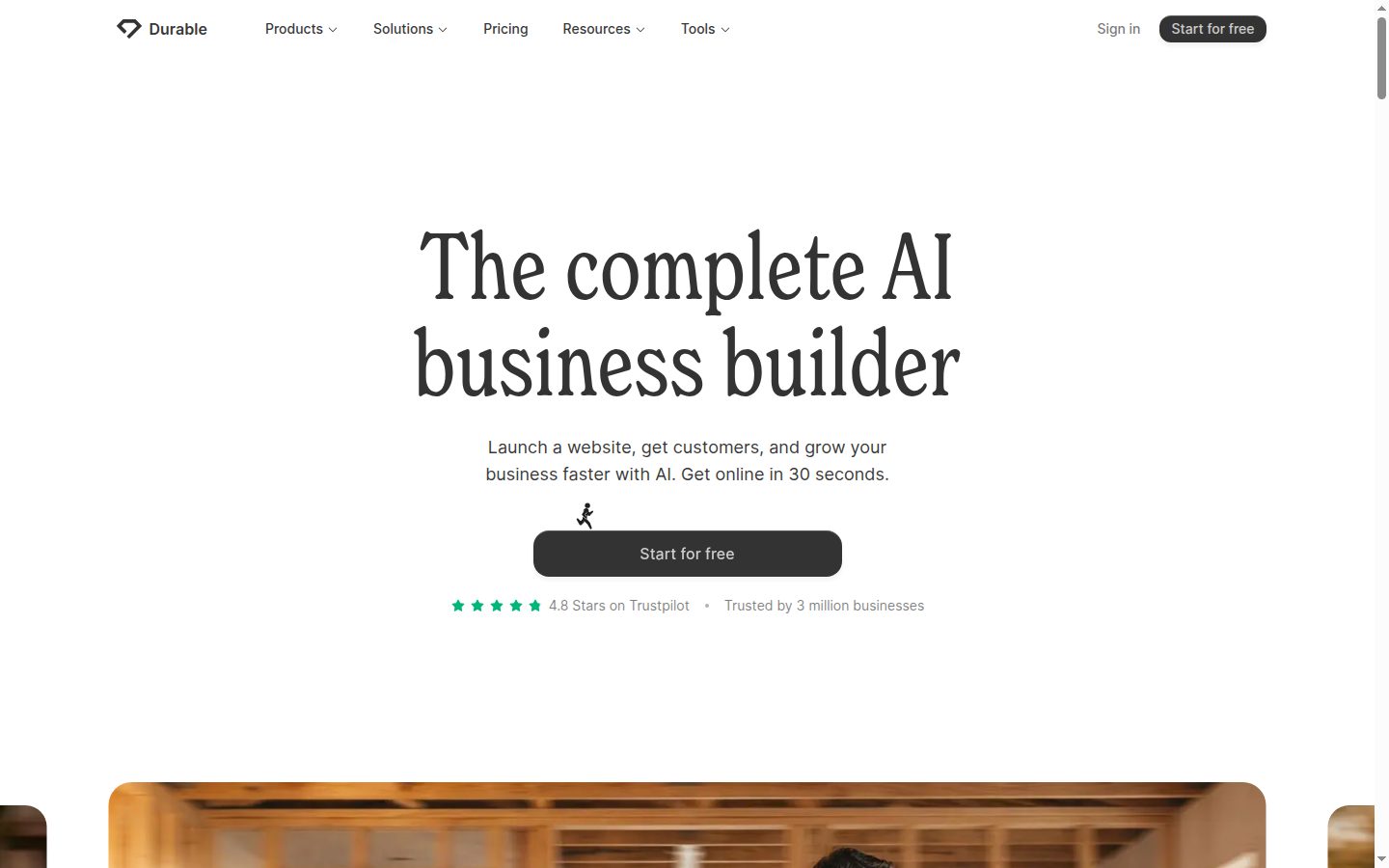
The Durable homepage calls the product an AI business builder. It says to launch a website, and the line on the page is get online in 30 seconds. That speed line is the company's wording. This guide did not time a signup. An AI image studio line says you can create on-brand images for logos, ads, and your website.
The pricing page has Monthly and Yearly, labeled Save 15%. Free is $0. The Free card says a website preview, an SEO-optimized website ready to go live, 300 credits to try the AI, and a CRM capped at 10 customers. The credits row in the compare block says 300 total for Free.
The Launch card prints $25/m. The Grow card prints $49/m. The compare block on the same page prints Launch at $22/m and Grow at $41/m. Those are not the same numbers, and the fetched text does not label the lower pair as the yearly price. Check current pricing. There is no separate Durable how-to on TOOLPORT. The comparison below is the longer read.
Open Durable in the catalog. Then read Durable vs Wix vs Squarespace (2026).
First steps:
- Open Durable from the button. Read the homepage and the pricing page, including the compare block.
- Use the Free card's own description: a site preview, 300 credits in total, and up to 10 customers in the CRM.
- Do not budget from one Launch price. The card and the compare block do not print the same amount.
- A published site can have local rules for business names, taxes, and payments. This page does not list them.
Data: Julius (2026)
The Julius data-analysis page says you can get insights and visualizations from your data. It says to ask questions, create charts, clean and prepare data, and run statistical analysis in plain language. A FAQ says to connect a source from the Files page or in Chat. It names Excel and CSV files, Google Sheets, images, PDFs, Word documents, and text files. It says an Excel file with more than one sheet can be used by naming the tab in the prompt. It also says you can ask for a chart. This guide did not upload a file.
The same FAQ says Julius is free to use, that users receive free daily credits, and that more credits are an upgrade from the Account page. It does not print a daily count. The pricing page shows Free at $0 per month, Julius Lite models on the Free row, and a credits cell that says free daily credits, again with no number in the text read here.
The pricing page shows Annual Billing, labeled SAVE 20%, and Monthly Billing. The Plus card prints $20/month and $16/month. The Pro card prints $45/month and $37/month. The Business card prints $450/month and $375/month. The lower figure is not labeled billed annually in the fetched text. Check current pricing.
Open Julius in the catalog. The longer TOOLPORT read is Julius vs Deepnote vs Better Analyst (2026). There is no separate Julius how-to in the blog list used for this page.
First steps:
- Open Julius from the button. Read the data-analysis page and the pricing page.
- Use a spreadsheet or CSV you already have. The FAQ says to connect it from Files or in Chat, then ask in plain language.
- Ask for one chart only after the file is connected. The FAQ says you can name the chart type.
- Read the comparison before you treat a paid card as the plan to buy. Then check tax rules if a client would pay for the analysis.
Related comparisons (2026)
Four TOOLPORT comparisons already cover a narrower choice. They are not repeated here.
- Meeting notes: Fireflies.ai vs Otter.ai vs Fathom (2026) and the Fireflies guide. The catalog card is Fireflies.ai.
- Data: Julius vs Deepnote vs Better Analyst (2026).
- Websites: Durable vs Wix vs Squarespace (2026).
- Slides: Gamma vs Beautiful.ai vs Plus AI (2026).
The directory article is a wider catalog snapshot: Best AI tools directory (2026). For the full list, open the catalog.
Sources (2026)
Read 2026-11-10 (Tue), Asia/Tokyo, from the page body. Rytr, Fliki, and Durable are the HTML body from a plain GET. Gamma and Julius are the rendered page body. A plain GET to those hosts returned HTTP 403.