Julius AI Review (2026): Files, Charts, and Pricing
19 November 2026 (Thu). A Julius AI review of official file, chart, price, and security lines. No hands-on test.
Disclosure: Some links on TOOLPORT are affiliate links (marked Affiliate); we may earn a commission at no extra cost to you. Articles are drafted with AI assistance and based on each vendor's official information.
This Julius AI review copies what the official Julius pages printed on 19 November 2026 (Thu), Asia/Tokyo. It covers what the product says it does, the upload-and-ask steps, the prices, and the data and security notes. This is not a hands-on test. No file was uploaded, and no plan was purchased.
Affiliate disclosure. The Try Julius button is a referral link. If you sign up through it, TOOLPORT may earn a commission at no extra cost to you. The commission does not change this page. The plans button, and the Deepnote and Better Analyst links, open those companies' own sites. TOOLPORT does not sell these subscriptions. Affiliate disclosure.
What this Julius AI review covers (2026)
This page stays on Julius. The Julius vs Deepnote vs Better Analyst comparison lines up the three tools from an earlier read. The AI Tools Directory lists five TOOLPORT entries. The English post list and the Julius catalog card are on TOOLPORT.
What Julius does (2026)
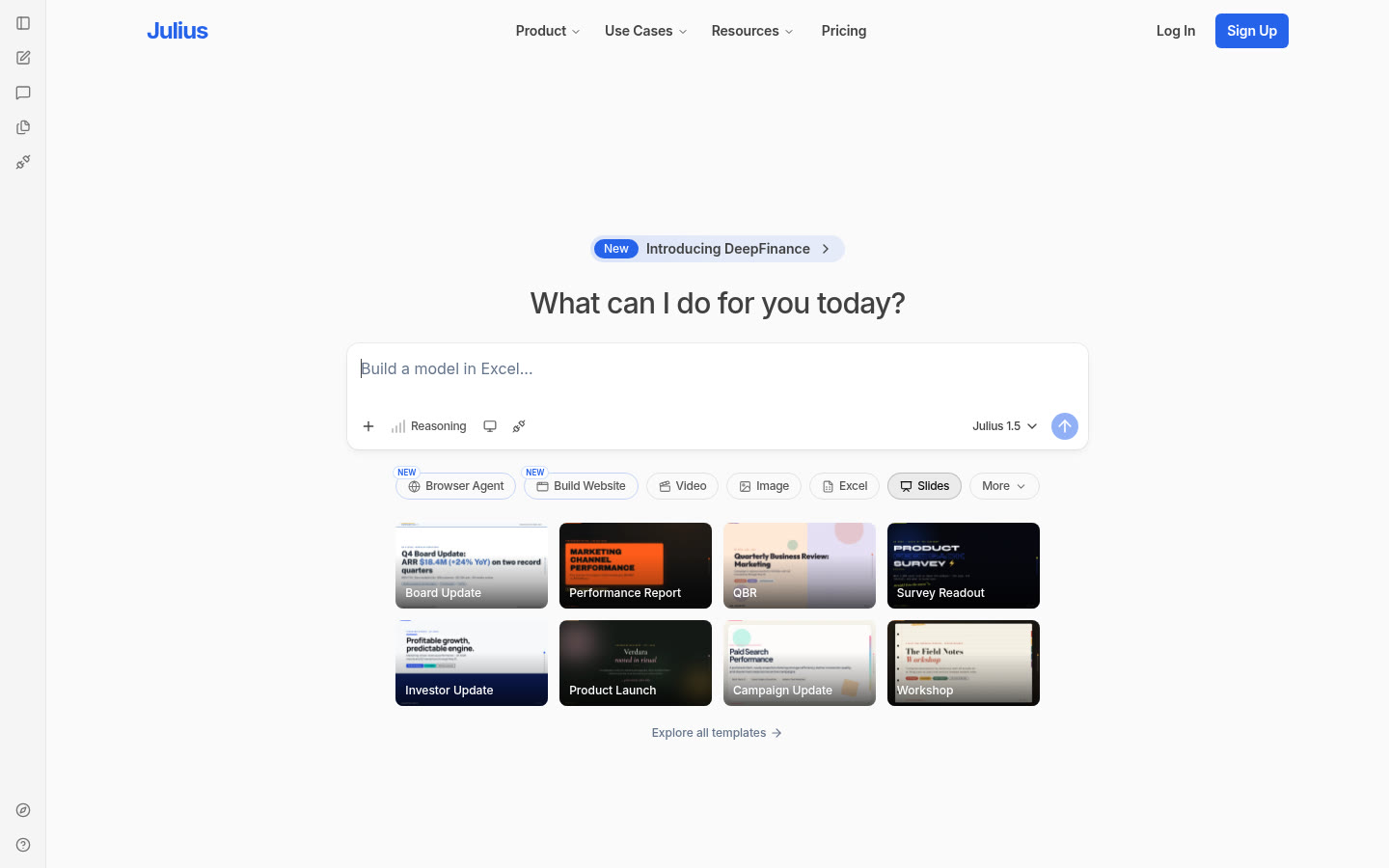
The homepage title is “AI Tools for Excel, Presentations, Websites & More | Julius AI.” The description says Julius researches topics, analyzes data, and creates presentations, dashboards, websites, images, and video in one workspace.
The box on that page asks “What can I do for you today?” The model control printed Julius 1.5. The chips under it printed Browser Agent, Build Website, Video, Image, Excel, and Slides. Browser Agent and Build Website carried a NEW mark.
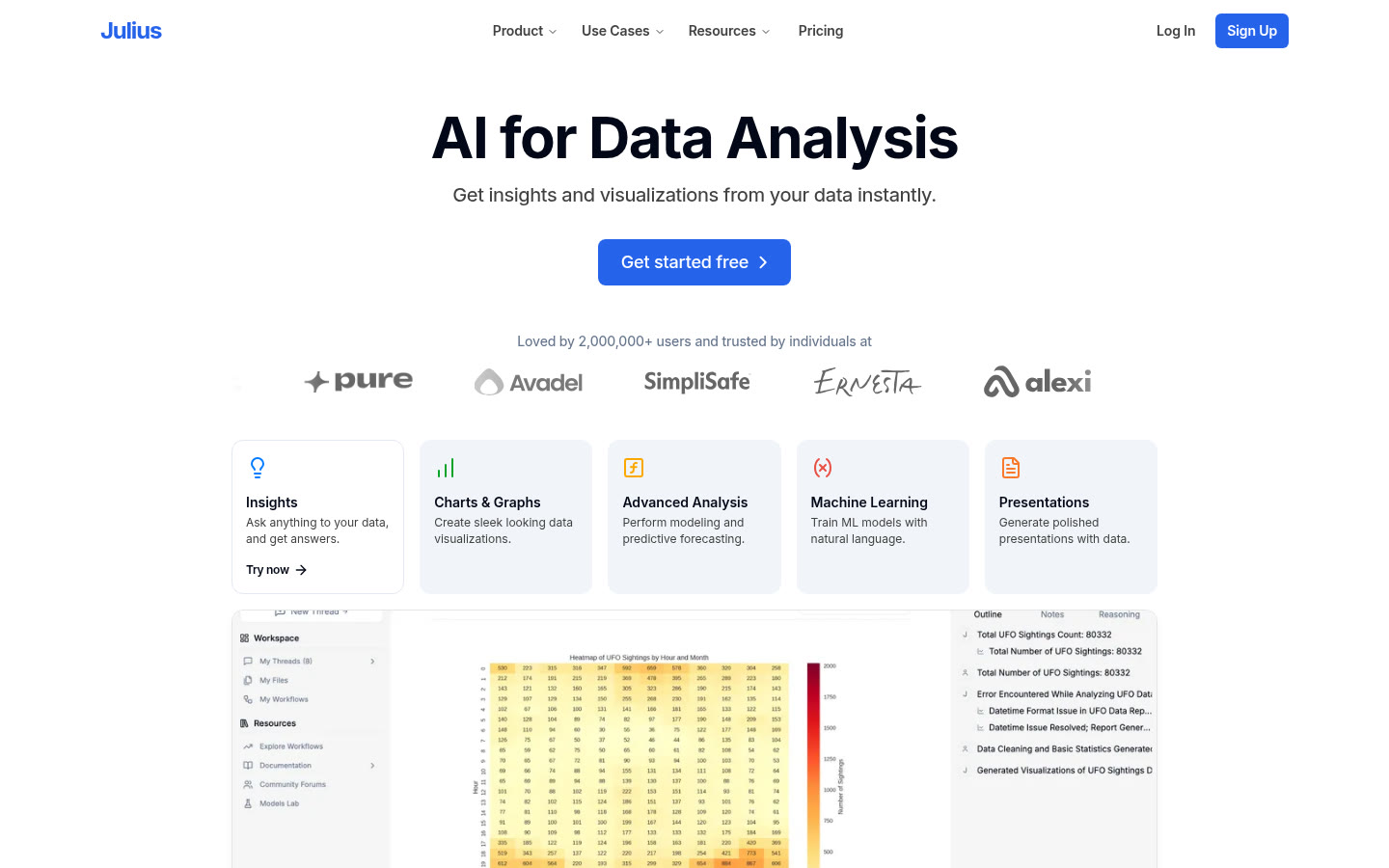
The data analysis page title is “AI for Data Analysis: Get Insights in Seconds.” The heading says “Get insights and visualizations from your data instantly.” The same page names insights, charts and graphs, advanced analysis, machine learning, and presentations. It also says you can turn an analysis into a deck or a website.
The footer calls Julius an early stage AI lab based in San Francisco and prints “© 2026 Caesar Labs, Inc.” The privacy policy, last updated 21 October 2026, names Julius AI Inc. at 600 California St., 11th Floor WeWork, San Francisco, CA 94108. Both names were on the pages. A single contracting party is Unverified.
How to ask Julius for a chart (2026)
The quickstart at https://julius.ai/docs/get-started/quickstart was read the same day. It walks through a data analysis. This review did not run the steps.
1. Upload. Click the + icon or drag a file into the conversation. The page names CSVs, Excel, JSON, PDFs, and images. The files doc adds Parquet, Feather, SQLite, SPSS, text, Markdown, PNG, JPEG, HEIC, WebP, GIF, and code files, including Jupyter notebooks. A Google Sheet can be linked from a share URL.
2. Ask in plain language. The quickstart's examples are “Show me the average sales by product category” and “Sort the data by customer age.” The data analysis FAQ says you can connect a source from the Files page or in Chat, then ask about trends, cleaning, or a deeper analysis.
3. Ask for a chart. The quickstart names bar, line, scatter, histogram, and pie, and says you right-click a chart to copy or save it. The visualizations doc also names box plots, heatmaps, maps, and other chart types. Those names are the doc's list.
4. Export. The quickstart says you can ask for CSV or Excel, and a download link appears in the chat. An Excel file with several sheets can be uploaded as usual, and the data analysis FAQ says you name the tab in the prompt.
Julius AI review pricing (2026)
Read 2026-11-19 (Thu), Asia/Tokyo, from https://julius.ai/pricing. Annual Billing was selected. A badge on that control says SAVE 20%. Monthly Billing was also on the page. This review did not switch the toggle.
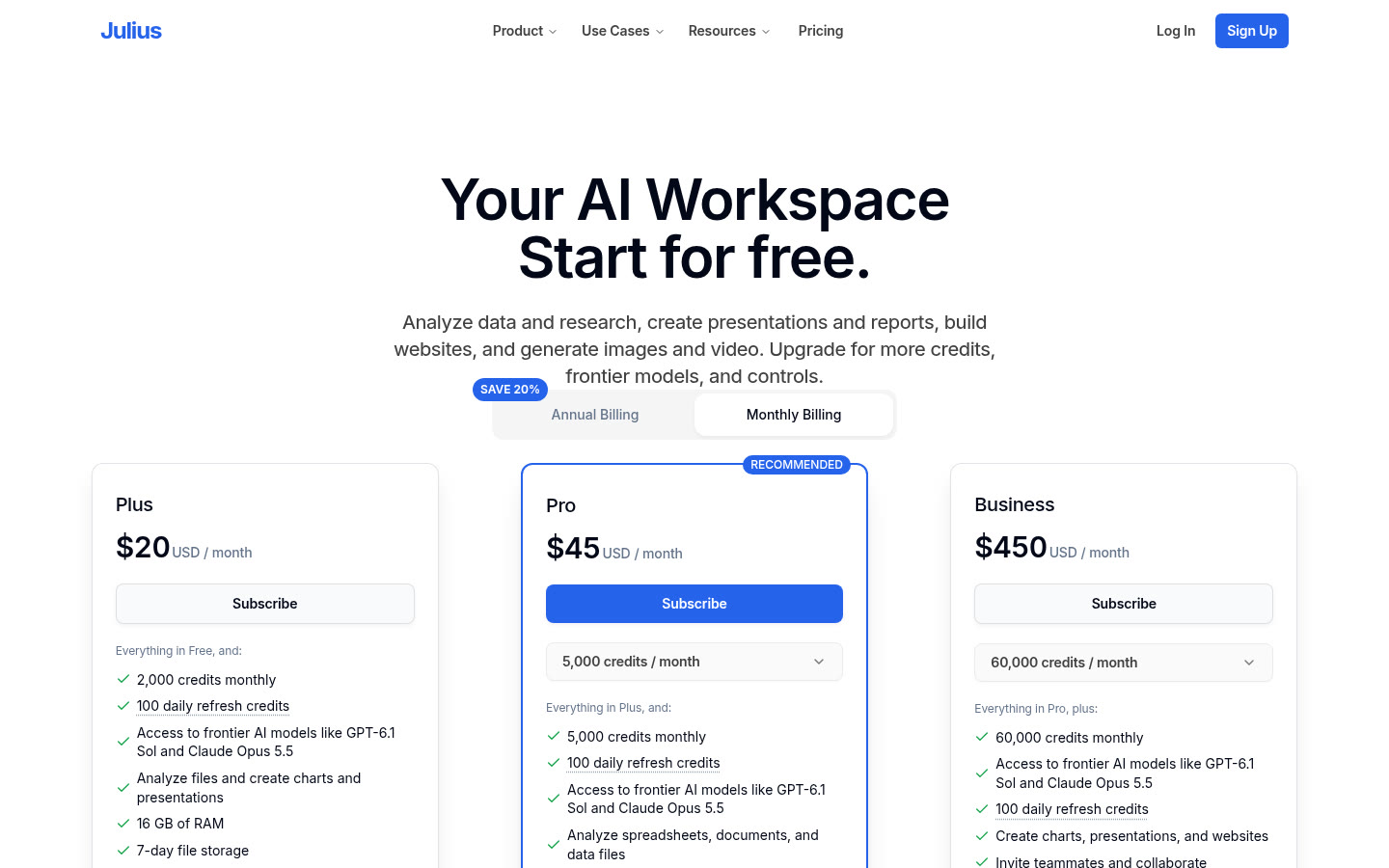
The captured Annual view shows Plus at $20 USD per month, Pro at $45 USD per month, and Business at $450 USD per month. The page text also contains $16, $37, and $375 USD per month on those cards. The captured view did not show those three figures. Which control reveals them is Unverified.
Plan on 2026-11-19 | Amount the page printed | What else that card printed |
|---|---|---|
Plus | Annual view: $20 USD / month. Page text also contains $16 USD / month. Which control shows $16 is Unverified. | Everyday analysis, research, and creative projects. 2,000 credits monthly. 24,000 credits per year in the page text. 100 daily refresh credits. GPT-6.1 Sol and Claude Opus 5.5. 16 GB of RAM. 7-day file storage. |
Pro | Annual view: $45 USD / month. Page text also contains $37 USD / month. Which control shows $37 is Unverified. | Advanced analysis. 5,000 credits monthly. 60,000 credits per year in the page text. 100 daily refresh credits. 32 GB of RAM in the page text. |
Business | Annual view: $450 USD / month. Page text also contains $375 USD / month. Which control shows $375 is Unverified. | Teams. 60,000 credits monthly. 720,000 credits per year in the page text. 100 daily refresh credits. Postgres, BigQuery, Snowflake, and more connectors. Up to 50 team members in the page text. |
Free | $0 per month on the comparison strip. | The credits cell says “Free daily credits” and prints no number. The models cell says Julius Lite models. |
Enterprise | Contact Us. No dollar amount. The price is Unverified. | The FAQ names SSO, audit logging, and fine-grained additional RBAC for organizations that bring on several teams. |
The credits doc at https://julius.ai/docs/billing/credits-overview was read the same day. It says eligible new web accounts receive 75 one-time welcome credits, and the Free plan adds 25 daily credits. Paid accounts receive 100 daily credits. Daily credits reset at 00:00 UTC and do not accumulate. The pricing page's Free cell still says “Free daily credits” with no number. Both lines were on the pages.
The same doc lists purchased credits for Plus, Pro, Max, Ultra, Team, Business, and Growth 1 through Growth 4. It says the table includes legacy products and does not mean every plan is for sale. Max, Ultra, Team, and Growth were not on the pricing cards. A dollar price for those names is Unverified. Purchased credits expire at the end of the monthly or annual term and do not roll into the next term. The doc also says buying extra credits is not supported.
The feature row for data connectors prints Google Drive, OneDrive, and Sharepoint on the first cell, then adds Snowflake, Bigquery, and Postgres. The last cell says Custom. The FAQ lists Snowflake, BigQuery, MySQL, PostgreSQL, and SQL Server, plus Drive, OneDrive, and Sharepoint for teams. The FAQ does not put MySQL or SQL Server in a plan column. A plan for those two names is Unverified. The row spells Bigquery. The FAQ spells BigQuery. Both spellings were on the page.
Data handling and security (2026)
The security page, read the same day, says Julius is compliant with SOC 2 Type II and TX-RAMP, monitored by Oneleet. The badge on that page says SOC 2 Type 2. The footer says SOC 2 Type 2 Certified. Both spellings were on Julius pages that day.
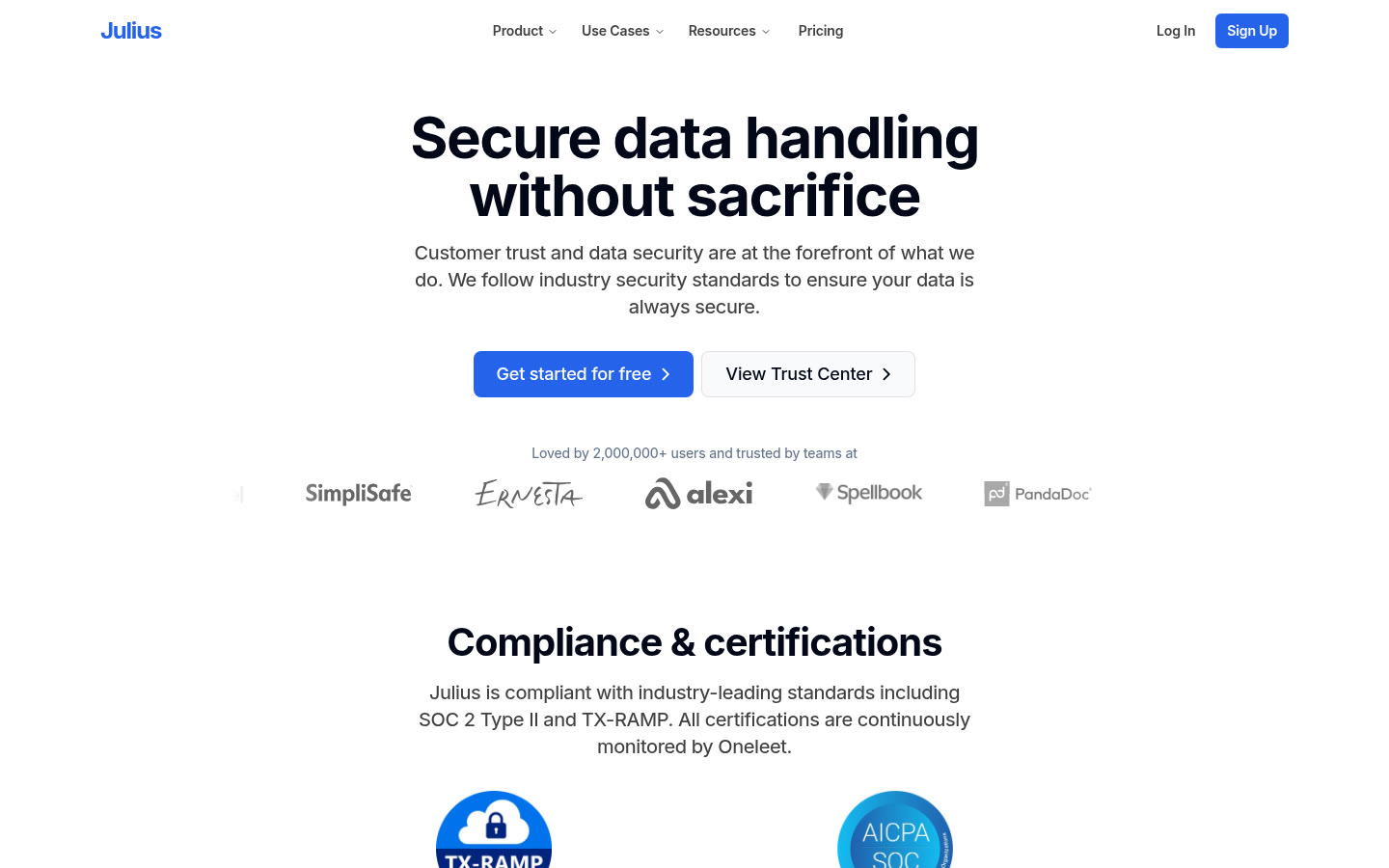
The security FAQ says uploaded files and outputs are stored in the United States, and that processing runs in a regionally isolated cloud environment. It says data is encrypted in transit and at rest, accounts are isolated, and access uses role-based control. One paragraph says processed data is deleted when it is no longer needed. The next sentence says uploaded files are encrypted and retained so you can revisit them. Both sentences were on the page.
On training, the security FAQ says Julius does not build its own AI models, and that Julius may share data with AI providers to help improve their models. The opt-out is an email to [email protected]. The privacy policy, section 3, says Julius does not use Personal Information to train its own models. Section 4 says Julius may share content with AI technology providers so they can evaluate, improve, and develop their products. The docs page states both and keeps them as two sentences. This review does the same.
The files doc says free-tier files are kept for up to 1 hour of inactivity, then uploaded and generated files are deleted. Paid files stay for up to 7 days of inactivity. The Plus card prints 7-day file storage. The pricing feature row prints “7-day file storage” three times and “Permanent file storage” once, and the text read did not attach those four cells to plan names. Which plan gets permanent storage is Unverified. The containers doc says free and paid containers stay up for 1 hour of inactivity, then spin down. That sentence is about the compute container.
Deletion is also more than one sentence. The security FAQ says you can request removal of your data. The data analysis FAQ says that when you delete data in Julius, it is removed from the servers. Privacy section 8 says a business-level cancellation plus a deletion request is deleted within seven business days. Section 11 says Julius may keep information for service, legal, and business reasons, and it prints no backup deadline. The docs page says deleting an account is permanent and does not erase every backup at once.
The security page links to https://trust.julius.ai. This review did not download the certificate files. The docs page says that, as of 8 October 2026, the Trust Center displays SOC 2 Type 2 Compliant and a public TX-RAMP Level 2 certificate, and that some documents need access approval. The files themselves are Unverified here.
Who Julius is for (2026)
The data analysis page is for a reader who wants to upload a file or connect a source and ask in plain English. The Plus card says everyday analysis, research, and creative projects. The Pro card says advanced analysis. The Business card says teams that create, analyze, and collaborate, and the page text says up to 50 team members. The quickstart is the written version of the four steps above.
Who Julius is not for (2026)
It does not suit a reader who needs one Free-plan file rule. The files doc prints up to 1 hour of inactivity. The pricing page does not print that hour on the Free row. It does not suit a reader who needs an Enterprise dollar price, a Monthly Billing amount from a toggled view, or a dollar price for Max, Ultra, Team, or Growth. Those amounts were not on the pricing cards. The privacy policy says the service is not directed to people under 18. This review also does not describe a chart from a real file, because no file was uploaded. The heatmap on the data analysis page is Julius's sample.
Julius and similar tools (2026)
Deepnote and Better Analyst are here because readers compare them with Julius. The rows are from each company's own pricing page on 2026-11-19. The Julius vs Deepnote vs Better Analyst comparison is the longer lineup. This table does not repeat that page. Credits, editors, and per-month prices are different units.
Read on 2026-11-19 | Julius | Deepnote | Better Analyst |
|---|---|---|---|
How you work | Upload or connect a file, then ask. The quickstart ends in a chart you can right-click to save. | Notebooks. The pricing page lists code blocks, SQL blocks, and chart blocks on Free, Team, and Enterprise. | The FAQ says you ask in plain English. The product writes and runs the code and returns a chart, table, or summary. You can open the code. |
Price that was open | Annual Billing selected. Plus $20, Pro $45, Business $450 USD per month. Free $0. Enterprise: Contact Us. | Yearly view. Team $39 per editor/month, billed yearly, with a -20% mark. Free is free forever. Enterprise: Custom. A monthly dollar amount was not in the card text. It is Unverified. | Cards labeled billed monthly: Pro $30/mo and Team $149/mo. The FAQ on the same page prints annual Pro at $20 a month ($240 a year) and Team at $119 a month ($1,428 a year). Free $0. Enterprise: Custom. |
Deepnote's Free card prints up to 3 editors, up to 5 projects, limited Deepnote AI, and Basic machines at 5 GB RAM and 2 vCPU. Better Analyst's Free card prints 10 chat messages a month, 100 AI credits a month, 1 data source, and 1 dashboard. The same FAQ says Formula Bot is now Better Analyst. Deepnote stays on https://deepnote.com/pricing. Better Analyst stays on https://betteranalyst.com/pricing.
Julius AI review FAQ (2026)
Can I start without a card? The data analysis FAQ says Julius users receive free daily credits, and that more credits mean an upgrade from the Account page. The pricing strip prints Free at $0. A credit-card sentence was not on those two pages. Whether signup asks for a card is Unverified.
How many free credits? The pricing cell says “Free daily credits” and prints no number. The credits doc says 25 daily credits on Free, plus 75 welcome credits for an eligible new web account. Daily credits reset at 00:00 UTC.
Does Julius train on my files? The privacy policy, section 3, says Personal Information is not used to train Julius's own models. Section 4 and the security FAQ say content may be shared with AI providers so those providers can improve their models. The opt-out is [email protected].
Where are files stored? The security FAQ says the United States. The files doc prints 1 hour of inactivity on the free tier and 7 days of inactivity on paid plans. The Plus card prints 7-day file storage.
Sources (2026)
Read 2026-11-19 (Thu), Asia/Tokyo, from each page body. Pictures are screenshots of those pages. They are not a separate price source. The pricing screenshot is the Annual view copied in the price table. https://trust.julius.ai was not opened, so it is not a source.
https://julius.ai/
https://julius.ai/pricing
https://julius.ai/security
https://julius.ai/privacy-policy
https://julius.ai/home/ai-for-data-analysis
https://julius.ai/docs/get-started/quickstart
https://julius.ai/docs/get-started/files
https://julius.ai/docs/get-started/data-visualizations
https://julius.ai/docs/get-started/containers
https://julius.ai/docs/get-started/privacy-and-data-security
https://julius.ai/docs/billing/credits-overview
https://deepnote.com/pricing
https://betteranalyst.com/pricing