What Is Fliki? A Beginner’s Guide to the AI Video and Voice Generator’s Features, Pricing, and How to Use It
Explore Fliki’s text-to-video and AI voice features, pricing, getting started, and key considerations, based on official page content checked on Wednesday, November 4, 2026.
Information checked: Wednesday, November 4, 2026. Official page content was reviewed, and unresolved points are marked as “unconfirmed.” Check the latest pricing before subscribing.
This article contains Fliki affiliate (referral) links. TOOLPORT may receive a referral fee if you sign up through these links. Referral fees do not affect the content or assessments in this article.
Introduction
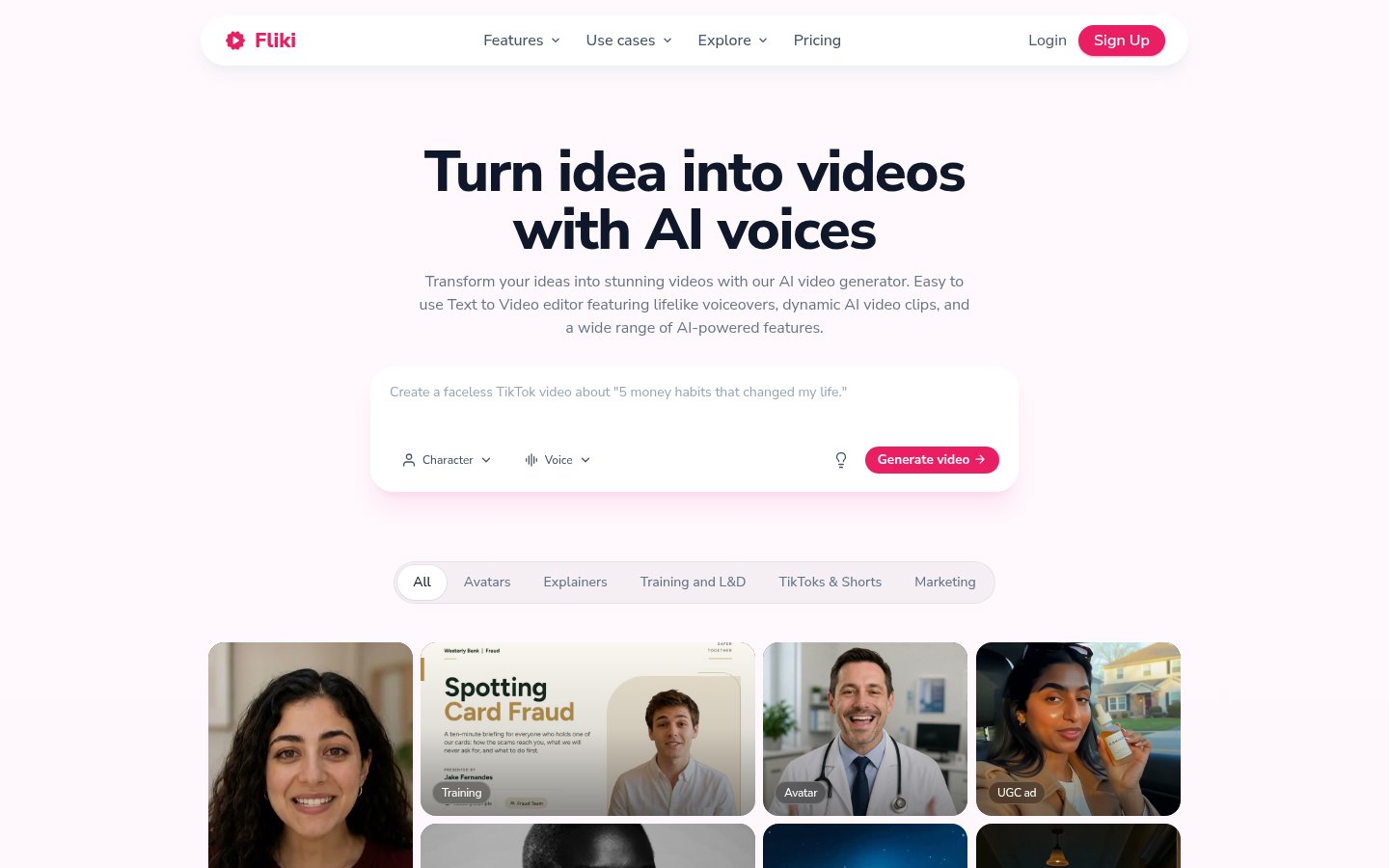
Want to turn a blog into a video or spend less time recording narration? Fliki is a service that turns text into AI speech or videos with visuals, captions, and music.
We outline its uses and what to check before subscribing, based on the official feature descriptions, pricing, and terms.
What Is Fliki?
You can create videos and generate speech in your browser. No dedicated software is required, and Google Chrome is recommended.
Combine speech, visuals, and captions from a script or article, then review the content and finished result after generation.
Japanese is supported, and official voice samples are available.
What You Can Do: Key Features
Available voices and features vary by plan.
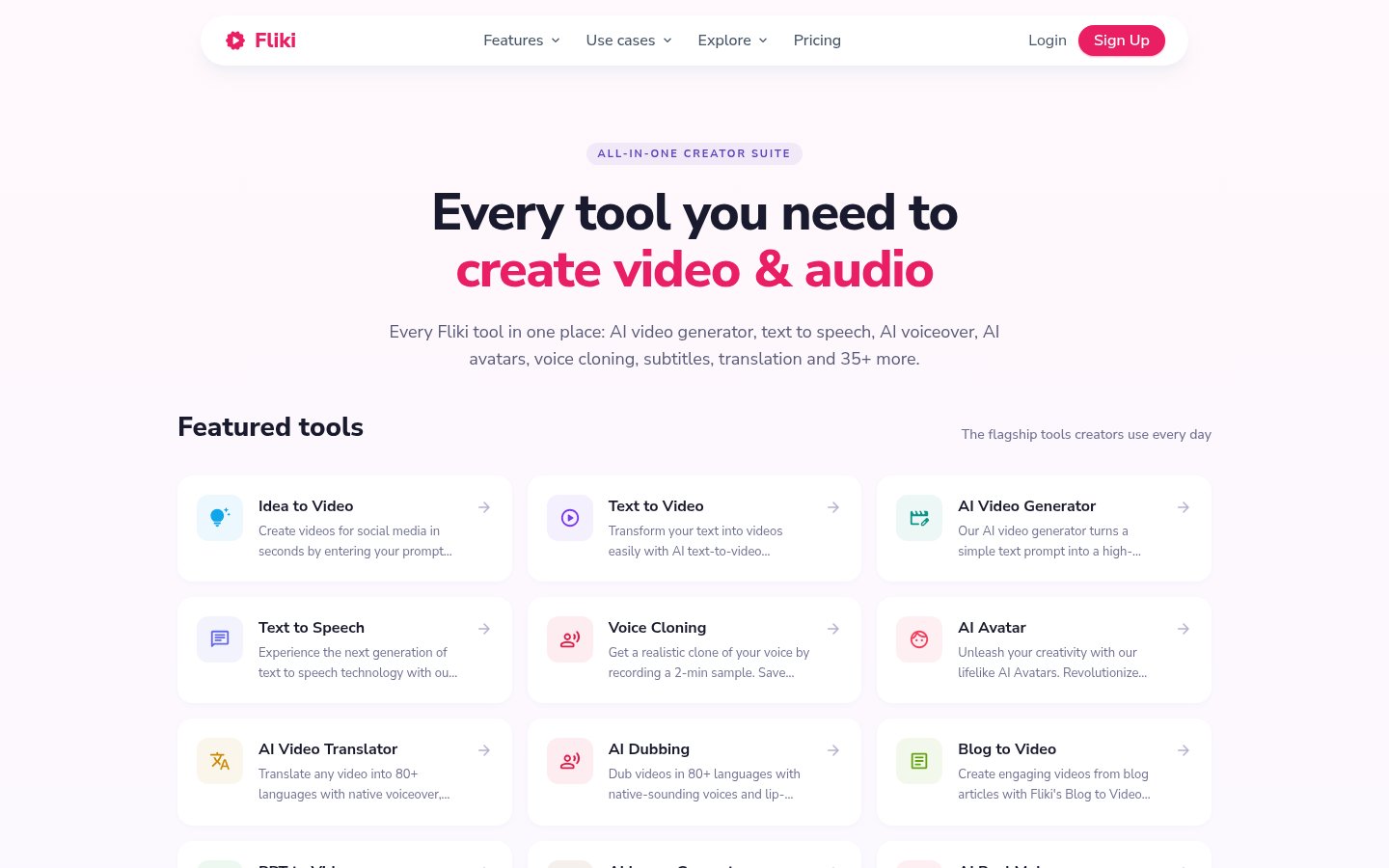
- Idea to Video / Text to Video: Create videos with AI voices from ideas or scripts.
- AI Video Generator: Generate video clips from prompts.
- PPT to Video: Turn PowerPoint presentations into videos by adding scripts, voices, avatars, and music.
- AI Avatar / Digital Twin: Have an AI presenter or one modeled on yourself explain content.
- Translation and Dubbing: The site describes translation into 80+ languages, captions, and lip sync.
- Image Generation and Media Replacement: Generate AI images or replace media with your own assets.
- Series: Plan videos around themes and posting schedules, with 1 series on Standard and 3 on Premium.
Turn Text into Speech
Text to Speech converts text into AI speech. Across the service, Fliki lists 2,000+ voices, 80+ languages, and 100+ dialects and accents.
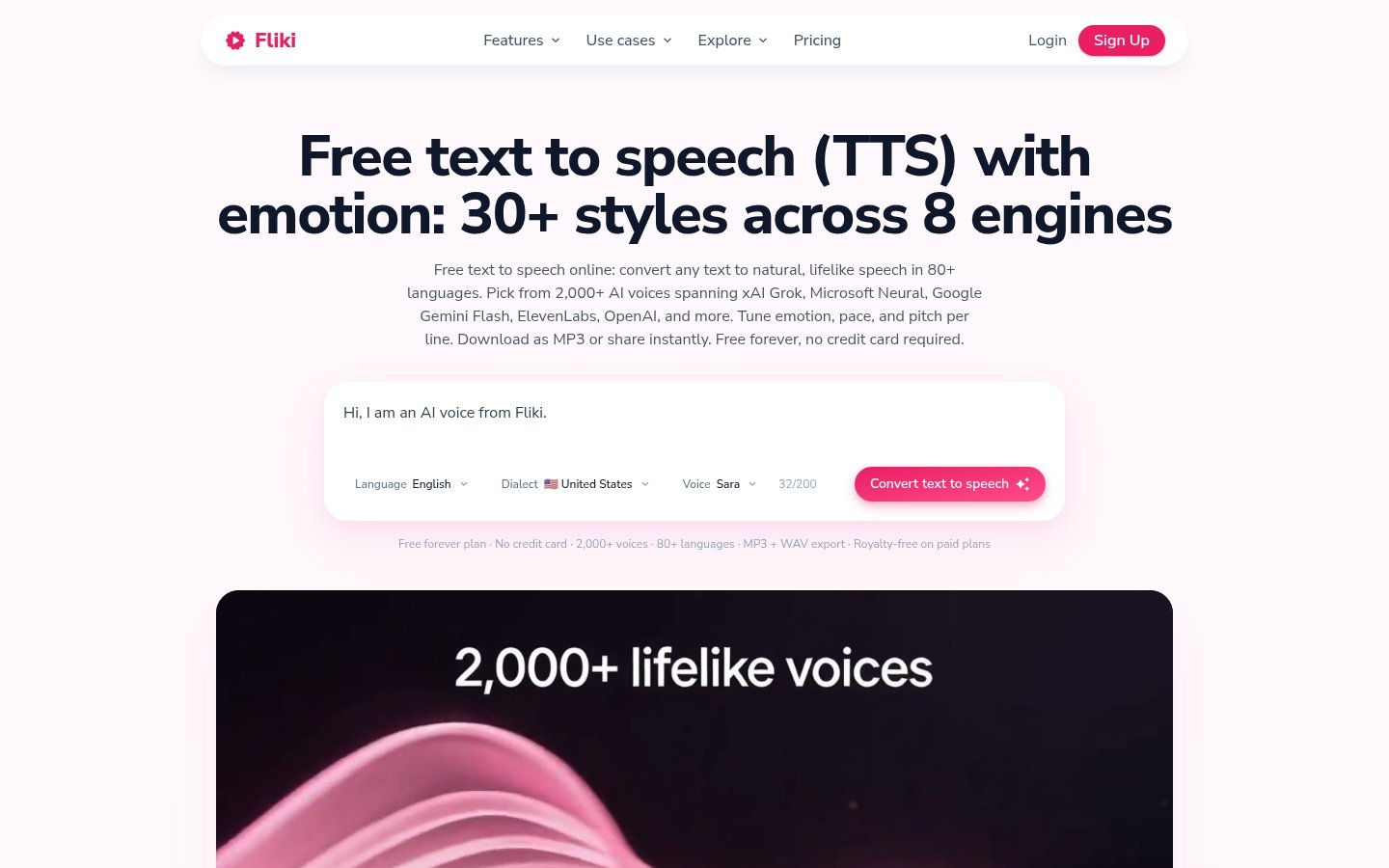
- Speech Controls: Adjust speed, pitch, and pauses, and choose from 30+ emotional styles.
- Partial Regeneration: Regenerate just part of a script.
- Voice Cloning: Create an AI voice based on your own voice.
There are 300 voices available for free. High-quality voices, voice cloning, and commercial use are included in paid plans.
Turn Blog Posts into Videos
Blog to Video summarizes the key points from an article’s URL or text and prepares scripts, speech, visuals, captions, and music for each scene. Public articles on WordPress, Medium, Substack, and other platforms are listed as examples.
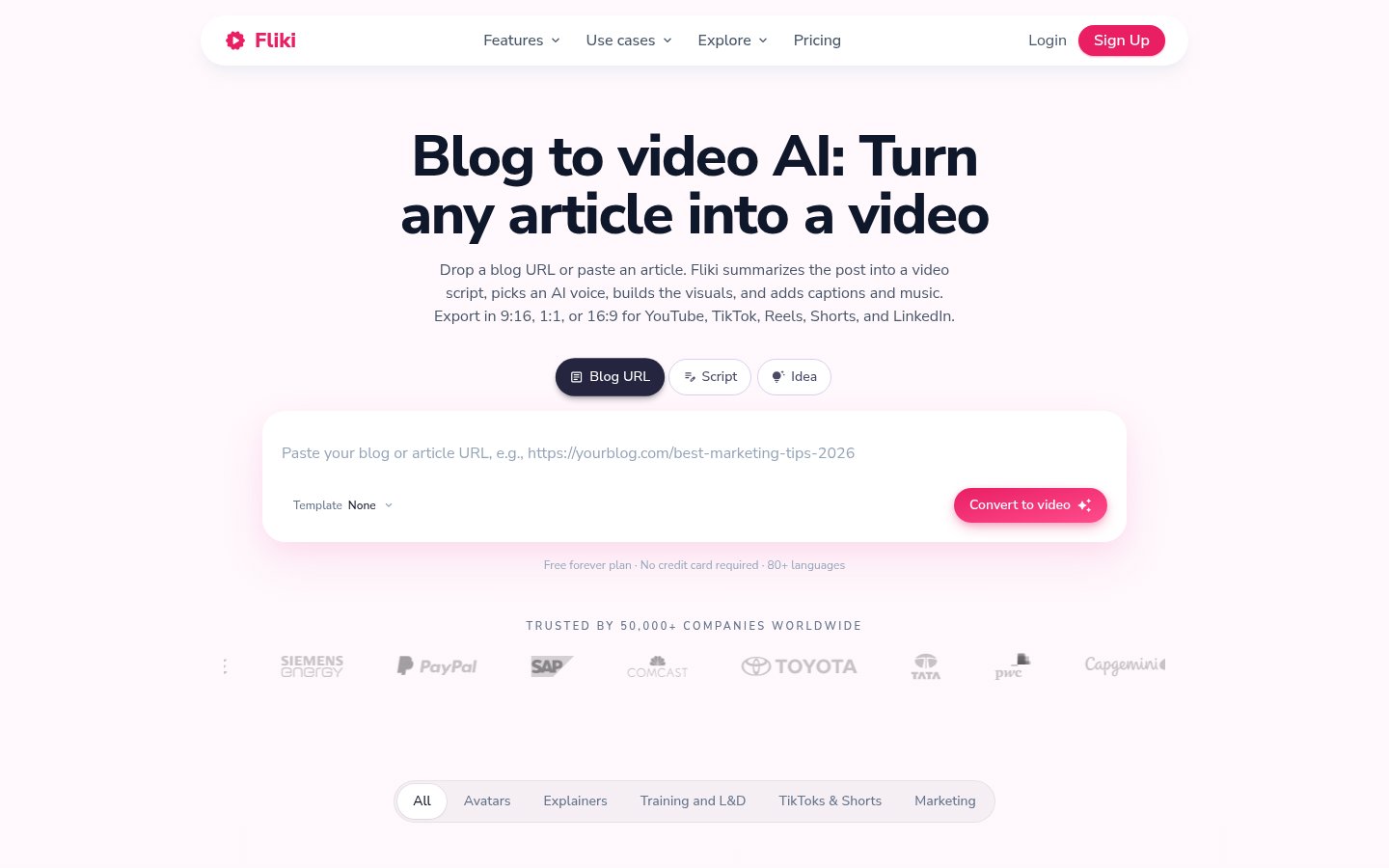
For articles that require a login or subscription, the site explains how to paste in text you have the right to use.
Length options include 1 minute, 2–3 minutes, and long-form, with MP4 output in 9:16, 1:1, or 16:9. You can edit the script, media, fonts, colors, timing, and scene order.
Before publishing, check that the summary preserves the original article’s meaning and that the visuals match the content.
Pricing Plans
These are the official prices displayed on Wednesday, November 4, 2026. Prices are in USD, and monthly prices shown for annual billing are the annual cost divided by the number of months.
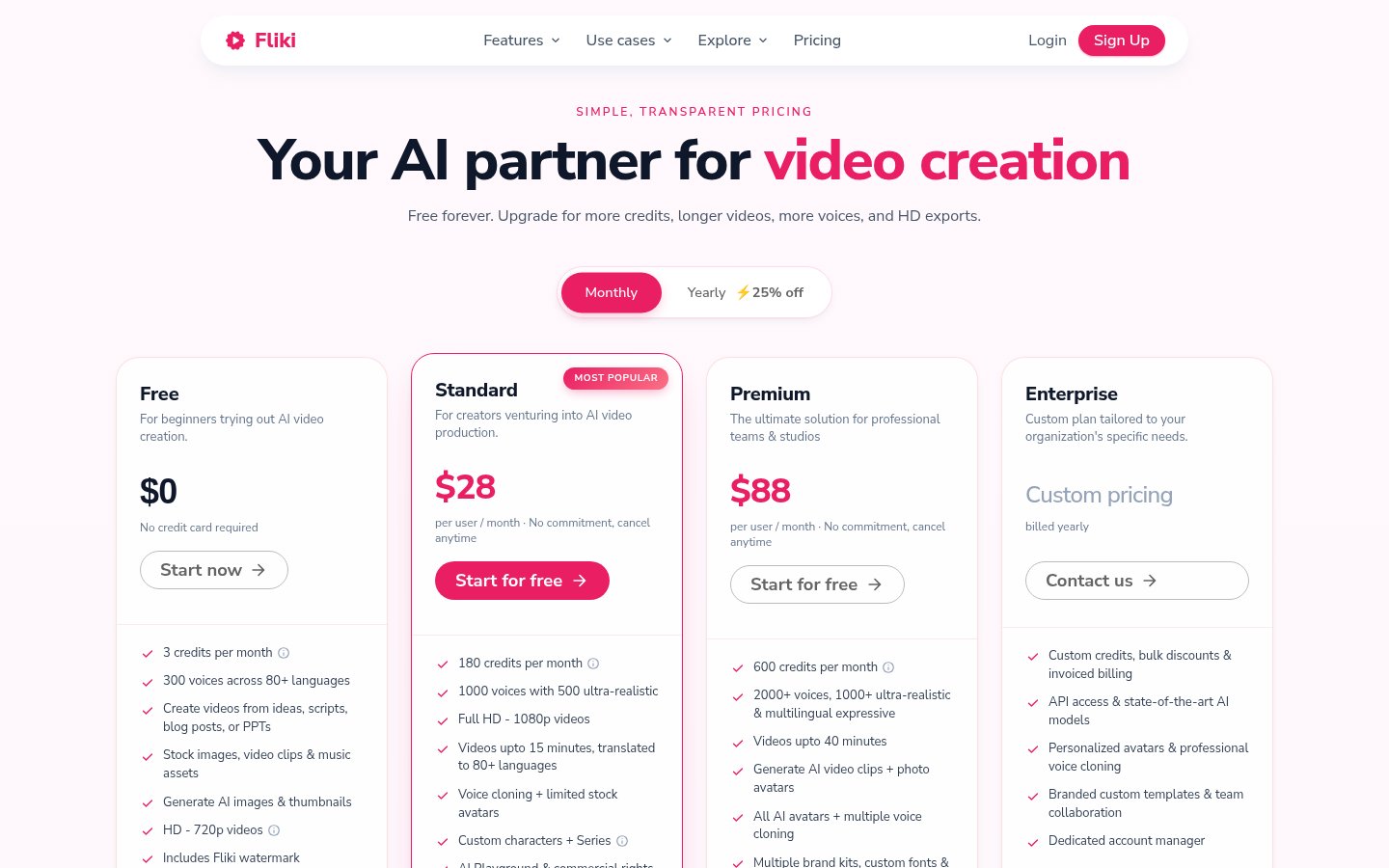
Plans and Pricing: Monthly and Annual Billing
Plan | Price with Monthly Billing | Monthly Price Shown for Annual Billing | Annual Charge | Credits (as Listed Officially) |
|---|---|---|---|---|
Free | $0 | $0 | Free | 3 credits per month. The comparison table with annual billing selected lists 36 |
Standard | $28 per user per month | $21 per user per month | $252 | Monthly billing: 180 per month / Annual billing: 2,160 per year |
Premium | $88 per user per month | $66 per user per month | $792 | Monthly billing: 600 per month / Annual billing: 7,200 per year |
Enterprise | Custom quote | Custom quote | Billed annually; amount unconfirmed | Custom allocation |
Annual billing is advertised as “25% off.”
Key Limits and Features
Item | Free | Standard | Premium |
|---|---|---|---|
Maximum Video Export Length (Pricing Comparison Table) | 5 minutes | 15 minutes | 40 minutes |
Resolution (Pricing Comparison Table) | 720p | 1080p | 1080p |
Number of Voices | 300 | 1,000 | 2,000+ |
Video Watermark | Yes | No | No |
Commercial Usage Rights | No | Yes | Yes |
Credits and Payment
Credit usage depends on factors such as audio and video length, and regenerating content after edits also uses credits. One estimate is 2.5 credits for 5 minutes, but this varies by model and settings.
Listed payment methods include major cards, GPay, Apple Pay, and local wallets in supported countries. The free plan does not require a card.
Subscriptions are paid in advance monthly or annually and renew automatically. For cancellation, the pricing page directs users to “Account → Manage billing,” while the terms instruct users to contact [email protected].
Paid subscription periods are generally nonrefundable, and access continues until the end of the period. The terms also allow refund requests to be considered individually, but this does not guarantee a refund.
How to Get Started
The following steps are based on the official descriptions.
Sign Up and Choose What to Create
- Open the Website: Select “Sign Up” on the official website.
- Register: Follow the on-screen instructions to create an account.
- Choose Your Task: Select TTS for text-to-speech or Blog to Video to turn an article into a video.
Creating Speech from Text
- Add Your Script: Enter text or import a PDF, DOCX, or TXT file.
- Choose a Voice: Filter by language and voice criteria, then listen to samples.
- Adjust the Delivery: Set the emotion, speed, pitch, and pauses.
- Export: Export as MP3, or as WAV with a paid plan.
Creating a Video from a Blog Post
- Add the Article: Enter a URL or the article text, then choose the length, language, and tone.
- Review the Script: Check the summary against the original article.
- Refine the Presentation: Adjust the voice, visuals, colors, and scene order.
- Export: Check the aspect ratio and output settings, then export.
Note: Registration, generation, and downloading have not been tested. Required registration fields, interface navigation, file requirements, and posting permissions are unconfirmed.
Who It Suits—and Who It Doesn’t
These are the editorial team’s assessments based on official information.
A Good Fit For
- People who want to turn blogs or explanatory text into videos
- People who want to create speech, visuals, and captions together
- People who want to try voices in multiple languages
- People who want to make use of PPT files or training materials
Not a Good Fit For
- People who want to create watermark-free commercial videos for free
- People who want unlimited generation for free
- People who don’t want regeneration to use up their allowance
- People who need guaranteed Japanese text-to-speech quality
How It Differs from Similar Tools
Fliki’s distinguishing features include combining text-to-speech and video creation in one place, with blogs or PPT files as starting points. Other providers’ prices, features, and quality are unconfirmed.
Things to Keep in Mind
- Paid plans include commercial usage rights, but users must check the rights to any text, images, voices, or faces they provide and obtain the individuals’ consent.
- The terms prohibit rights infringement, unauthorized impersonation, false information, and similar activities. Details about the exclusivity and copyright of generated content, as well as indemnification against third-party claims, are unconfirmed.
- The terms include a license to use content for purposes such as operating and improving the service, promotion, and new product development. Use for AI training, opt-out methods, and retention periods after deletion are unconfirmed.
- The privacy policy text was outside the scope of this review. Check the conditions before entering confidential information, and save separate copies of your scripts and finished files.
- A Japanese-language interface and customer support, pronunciation quality for proper nouns and long passages, and PPT compatibility requirements and layout fidelity are unconfirmed.
- Official pages give both 2 minutes and 30 seconds as the recording length needed for voice cloning. Requirements for each method and the languages supported for cloning are unconfirmed.
- The free allowance is listed as 5 minutes per month in the FAQ and up to 12 minutes for TTS, while Premium limits are listed as both 40 minutes and 30 minutes. The conditions that apply in practice are unconfirmed.
- The pricing table lists 1080p even for paid plans. The conditions for 4K mentioned on another page and whether Standard includes API access are unconfirmed.
- When annual credits are allocated, whether they roll over, when they expire, the total charge including taxes and fees, payment support in Japan, and the availability of a limited-time trial are unconfirmed.
- The help pages and standalone FAQ could not be retrieved, so detailed credit calculations and how failed generations are handled are unconfirmed. Completion times and effects on SEO or traffic generation have not been tested either.
- When posting directly to social media, users must also comply with YouTube and TikTok’s terms, originality requirements, and disclosure requirements for promotional or commercial content.
- The terms prohibit registration by anyone under 13 and also require users to be of legal age to enter into a contract. The specific conditions for minors are unconfirmed.
Conclusion
Fliki is an option for people who want to turn existing text or materials into speech or videos. Standard costs $28 with monthly billing, or the equivalent of $21 per month and $252 per year with annual billing.
Start with the free allowance to check Japanese pronunciation and ease of editing, then choose a plan based on commercial use, content length, and usage including regeneration.
Sources (Page Content Checked on Wednesday, November 4, 2026)
- https://fliki.ai/ (Homepage)
- https://fliki.ai/pricing (Pricing page, with both monthly and annual billing selected, including the FAQ within the page)
- https://fliki.ai/features (Feature overview)
- https://fliki.ai/features/text-to-speech (Text-to-speech)
- https://fliki.ai/features/blog-to-video (Blog-to-video)
- https://fliki.ai/terms (Terms of use)
Note: This article is based on a review of text retrieved from the official pages on Wednesday, November 4, 2026. The Help Center and standalone FAQ page could not be retrieved due to 404 errors or terminated connections, so their content is unconfirmed. The steps described in this article are based on official descriptions; TOOLPORT has not conducted hands-on testing.