Fireflies.ai vs Otter.ai vs Fathom (2026): Otter vs Fireflies AI Compared
Fireflies.ai vs Otter.ai and Otter vs Fireflies AI, with Fathom, from official pages re-read on 2026-11-21 (Sat): languages, free-plan limits, privacy, and pricing. No ranking and no hands-on test.
Disclosure: Some links on TOOLPORT are affiliate links (marked Affiliate); we may earn a commission at no extra cost to you. Articles are drafted with AI assistance and based on each vendor's official information.
Pages read on 2026-11-10 (Tue), Asia/Tokyo, and re-checked on 2026-11-21 (Sat). The rows below come from each company’s own page body. This is not a hands-on test. No meeting was recorded, and no plan was purchased.
Affiliate disclosure. The Fireflies.ai buttons are referral links. If you sign up through them, TOOLPORT may earn a commission at no extra cost to you. The commission does not change this comparison. Otter.ai and Fathom links open each company’s own site. TOOLPORT does not sell these subscriptions. Affiliate disclosure.
Fireflies.ai vs Otter.ai (and the reverse query Otter vs Fireflies AI) is the pair this page is built to answer, with Fathom as the third column. Fireflies.ai, Otter.ai, and Fathom each sell AI meeting notes: a transcript, a summary, and a way to search what was said. This article lines up five checks from official pages read on 2026-11-10 (Tue) and re-read on 2026-11-21 (Sat), Asia/Tokyo: transcription and languages, meeting platforms, summaries and search, pricing and free-plan limits, and privacy, security, and admin.
Otter and Fathom are the two products these companies’ own comparison pages name back and forth. Fireflies publishes Fireflies vs Otter and Fireflies vs Fathom. Otter publishes Otter vs Fireflies and Otter vs Fathom. Fathom publishes Fathom vs Fireflies and Fathom vs Otter. Those pages argue for the publisher. The table here uses each product’s own pricing, product, or security page.
At a glance (2026)
Check | Fireflies.ai | Otter.ai | Fathom |
|---|---|---|---|
Transcription and languages | Free card: transcription in 100+ languages, and “Unlimited transcription*”. Homepage examples: English, Spanish, French, and several others. Business card adds Multi-language Mode. | Pricing page names English, Spanish, French, German, Japanese, and Chinese. Basic card says multi-language support. Comparison table: 30 minutes per conversation on Basic, 90 on Pro, 4 hours on Business and Enterprise. | Overview FAQ: native transcription and summaries in English, Spanish, Dutch, French, Italian, German, and Portuguese on Premium and Team. Ask Fathom can translate into 29 more languages, including Japanese, Korean, Arabic, and Russian. |
Meeting platforms | Free card: Zoom, Google Meet, Teams, and more. Integrations page also names GoToMeeting, Webex, Dialpad, and Lifesize, plus dialers such as Zoom Phone, RingCentral, Aircall, and OpenPhone. Homepage: meeting bot, Chrome extension, mobile app, desktop app, and file upload. | Basic card and the video-conferencing page: Zoom, Microsoft Teams, and Google Meet. A Chrome extension can capture Google Meet with no bot. The desktop app can record with no bot in the meeting (macOS 13+ or Windows 10+). | Overview and the video page: Zoom, Google Meet, Microsoft Teams, and Slack huddles, plus in-person meetings on the iOS app. Bot-free capture is described for Mac. The overview FAQ says phone calls are not available. |
Summaries and search | Free card: limited AI summaries, meeting search, and AskFred. Pro card: unlimited AI summaries. Homepage: search down to a sentence and a timestamp. | Comparison table: automated summaries with action items and outlines. Basic: AI Chat across meetings, 20 AI Chat queries per user a month (3 per conversation), and the 25 most recent conversations. Advanced search is listed on Pro. | Free card: instant AI summaries, clips, playlists, and search across calls. Team card: trackers, search, and Ask Fathom across team calls. Pricing page: paid plans have unlimited lookback for “my calls”; team-call lookback depends on the plan. |
Pricing and free-plan limits | Free is $0. Limited summaries, 400 minutes of storage per team, 20 AI credits. Paid cards show two amounts. Check current pricing. | Basic is Free: 300 monthly transcription minutes and 3 lifetime file imports. Paid cards show more than one USD amount. Check current pricing. | Free is $0: unlimited recordings and transcriptions, summaries, clips, playlists, and search. Paid cards show more than one amount. Check current pricing. |
Privacy, security, and admin | Security page: SOC 2 Type II, ISO 42001, GDPR, 256-bit AES at rest, and TLS. HIPAA and FERPA paperwork is described on Enterprise with private storage. Enterprise card: SSO, SCIM, audit logs, private storage, super admin, custom retention. | Privacy page: SOC 2 Type 2, GDPR, CCPA, AES-256, and two-factor authentication on all plans. Pricing: HIPAA as an Enterprise add-on. SSO and SCIM on Enterprise, with a 100-user minimum in the comparison table. | Overview FAQ: SOC 2 Type II, HIPAA, GDPR-aligned, and SSO and SCIM on team plans. Team card: HIPAA with a standard BAA. Enterprise card: SSO, SCIM, custom retention, and a custom BAA. The trust-center HTML had no compliance text. |
Fireflies.ai vs Otter.ai: what differs (2026)
Re-read on 2026-11-21 (Sat), Asia/Tokyo, from each company’s own page body. This is not a hands-on test, and it is not a ranking. Publisher comparison pages such as Fireflies vs Otter argue for the publisher; the lines below use each product’s own homepage, pricing, help, or privacy page.
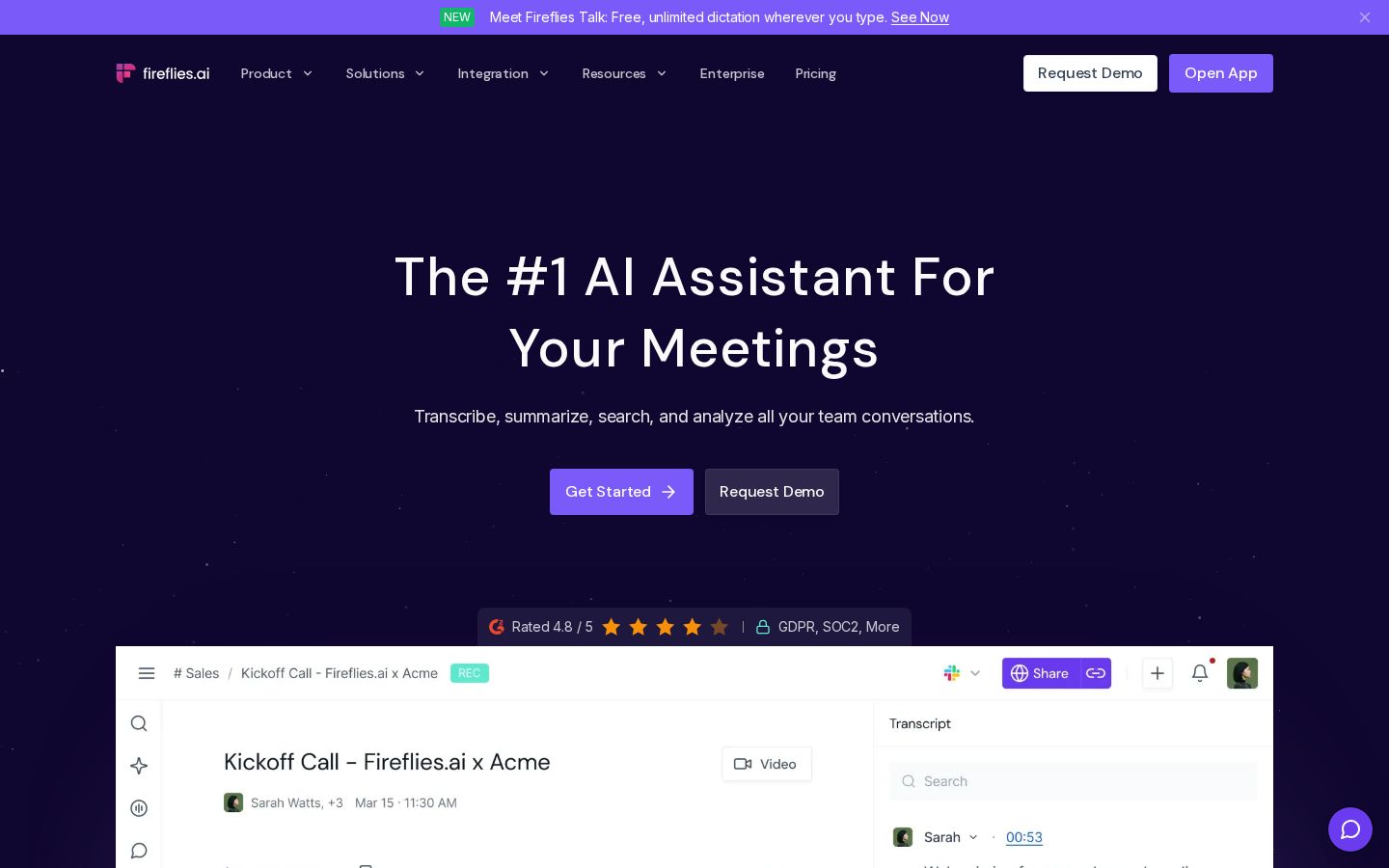
Languages and how you capture a meeting. Fireflies’ homepage FAQ says it supports 100+ languages for transcription and summarization, and that a free plan includes transcription, summaries, and search, with no credit card required to start. The same day’s Fireflies pricing FAQ also says “Currently English is the primarily language that is supported” and that Spanish, French, Portuguese, Italian, and 100+ other languages are “in beta.” Those two official pages do not use the same wording; check the live help list. Fireflies’ help article What is Fireflies.ai lists inviting the bot to Zoom, Google Meet, Teams, Webex and more, a Chrome extension for Google Meet, a desktop app, a mobile app, and file uploads. The homepage FAQ says the desktop app can capture notes without a bot appearing, and that attendees should be told. Otter’s pricing page names transcription in English, Spanish, French, German, Japanese, and Chinese, and lists Zoom, Microsoft Teams, and Google Meet on the Basic card, with 300 monthly transcription minutes and 3 lifetime audio or video file imports.
Privacy wording. Fireflies’ homepage states it does not use meeting data, transcripts, or content to train AI models, and that its AI vendors are contractually barred from training on that data. Otter’s privacy and security page, read the same day, says Otter uses a proprietary method to de-identify user data before training its models so that an individual user cannot be identified, that this training is automatic and not manually reviewed, and that customer data is not used to train AI Service Provider models. Imported Google Workspace data is not used to train Otter’s models. Both companies’ pages name SOC 2 Type 2 / Type II and GDPR. Otter also names CCPA, two-factor authentication on all plans, and HIPAA safeguards; Otter pricing still lists HIPAA as an Enterprise add-on, and SSO and SCIM with a 100-user minimum.
Pricing on 2026-11-21 (Sat). The Fireflies pricing page still lists Free, Pro, Business, and Enterprise. The dollar amounts on those cards were not fully readable in the retrieved body that day; check current pricing. Otter pricing is labeled in USD and shows more than one figure on Pro (including $16.99 and $8.49*, and a $19.99 figure elsewhere on the same page). Business prints $30 and $24. Fathom pricing is still titled with a free plan or plans from $15/mo, and the annual toggle says save 25%+. Team prints $19 and $15 per user per month, with a 2-user minimum. Premium prints $20 and $16. Business prints $34 and $25, also with a 2-user minimum. Check current pricing.
Related Fireflies pages on TOOLPORT: What Is Fireflies.ai?, Fireflies Pricing (2026), and Fireflies AI Review (2026).
Pricing and free-plan limits (2026)
Check current pricing. On 2026-11-10 (Tue) each pricing page showed more than one way to bill.
Fireflies pricing prints a monthly figure and an annual figure on the same cards. Pro shows $18 and $10 per seat per month, and the $10 is labeled billed annually. Business shows $29 and $19, and the $19 is labeled billed annually. Enterprise shows $39 and is labeled annual only. The free card is $0, free forever, with limited AI summaries, 400 minutes of storage per team, 20 AI credits, and unlimited transcription marked with an asterisk. The page lists FAQ questions, including monthly transcription credits. Those answers were not in the fetched body.
Otter pricing labels prices in USD and shows a monthly view and an annual view. Basic stays Free in both, with 300 monthly transcription minutes and 3 lifetime audio or video imports. Pro and Business cards show a full price, a lower “per month” figure, and a starred price the page limits to an India-issued card. The FAQ also lists a separate .edu price. The homepage Business block says “From $19.99/month per user.” Check current pricing.
Fathom pricing is titled with a free plan or plans from $15/mo, and the annual toggle says save 25%+. The Team card shows $19 and $15 per user per month, with a 2-user minimum. Premium shows $20 and $16. Business shows $34 and $25, also with a 2-user minimum. Enterprise is labeled annual only and shows $34 and $35. The overview FAQ says paid plans start at $15 per user per month for Team, billed monthly. Check current pricing.
Who it fits (2026)
Product | Fits | Does not fit |
|---|---|---|
Fireflies.ai | The free card’s 100+ languages, meeting search, and AskFred, or the Enterprise card’s SSO, SCIM, HIPAA, and private storage. File upload and the named dialers are on the product pages. | A single number to budget. The asterisk on free “unlimited transcription” is also unexplained in the page body fetched today. |
Otter.ai | Zoom, Teams, and Google Meet on a free plan with a stated 300-minute monthly cap. The pricing page names Japanese and Chinese among the transcription languages. | A single public price. Basic conversation history in the comparison table is the 25 most recent. |
Fathom | The free card’s unlimited recordings, transcription, summaries, and search, on Zoom, Meet, Teams, or Slack huddles. Bot-free capture is described for Mac. | Phone-call recording. Native transcription outside the seven languages named for Premium and Team. One agreed team price. |
Verdict by use case (2026)
For a free notetaker on Zoom, Teams, or Google Meet, with a stated cap: Otter Basic lists 300 transcription minutes a month and keeps the 25 most recent conversations.
For a free plan that lists unlimited recordings, transcription, summaries, and search: Fathom’s free card says that, and it includes Slack huddles and an iOS app for in-person meetings. The seven named languages are attached to Premium and Team in the overview FAQ, so confirm the free-plan language on the live page.
For 100+ languages on the free card, file upload, or the dialers named on the integrations page: Fireflies lists those. Free AI summaries are marked limited. For SSO, SCIM, HIPAA, and private storage, the Enterprise card is the one that lists them together.
For team admin, open the live pricing page before you treat any plan as the one with SSO. Fireflies and Otter list SSO on Enterprise, and Otter’s table adds a 100-user minimum for SSO and SCIM. Fathom’s overview FAQ says SSO and SCIM are on team plans, and the Enterprise card lists them too. The same split applies to HIPAA wording: Otter’s privacy page describes HIPAA safeguards, and the pricing page lists HIPAA as an Enterprise add-on.
There is no overall winner in these pages. Check current pricing on each pricing page before you subscribe.
The English product guide, separate from this comparison: What Is Fireflies.ai? Transcription, Pricing, and Meeting Notes Explained.
Meeting tools in the catalog: Meetings and schedules.
Sources (2026)
Read 2026-11-10 (Tue), Asia/Tokyo, from the page body.
- https://fireflies.ai/
- https://fireflies.ai/pricing
- https://fireflies.ai/features
- https://fireflies.ai/security
- https://fireflies.ai/integrations
- https://otter.ai/
- https://otter.ai/pricing
- https://otter.ai/privacy-security
- https://otter.ai/integrations/video-conferencing
- https://www.fathom.ai/pricing
- https://www.fathom.ai/overview
- https://www.fathom.ai/integrations-video-conferencing
- https://guide.fireflies.ai/articles/1193528158-how-to-use-fireflies (re-checked 2026-11-21 Sat)