What Is Synthesia? A Simple Guide to AI Avatar Video Features, Pricing, and Getting Started
Explore Synthesia’s AI avatar video features, pricing, setup, and limitations, based on official page content reviewed on Thursday, November 5, 2026.
Information checked: Thursday, November 5, 2026. We reviewed the official page content and marked unclear details as “unconfirmed.” Please check the latest pricing before subscribing.
This article contains Synthesia affiliate (referral) links. TOOLPORT may receive a referral fee if you sign up through these links. Referral fees do not affect the content or assessments in this article.
Introduction
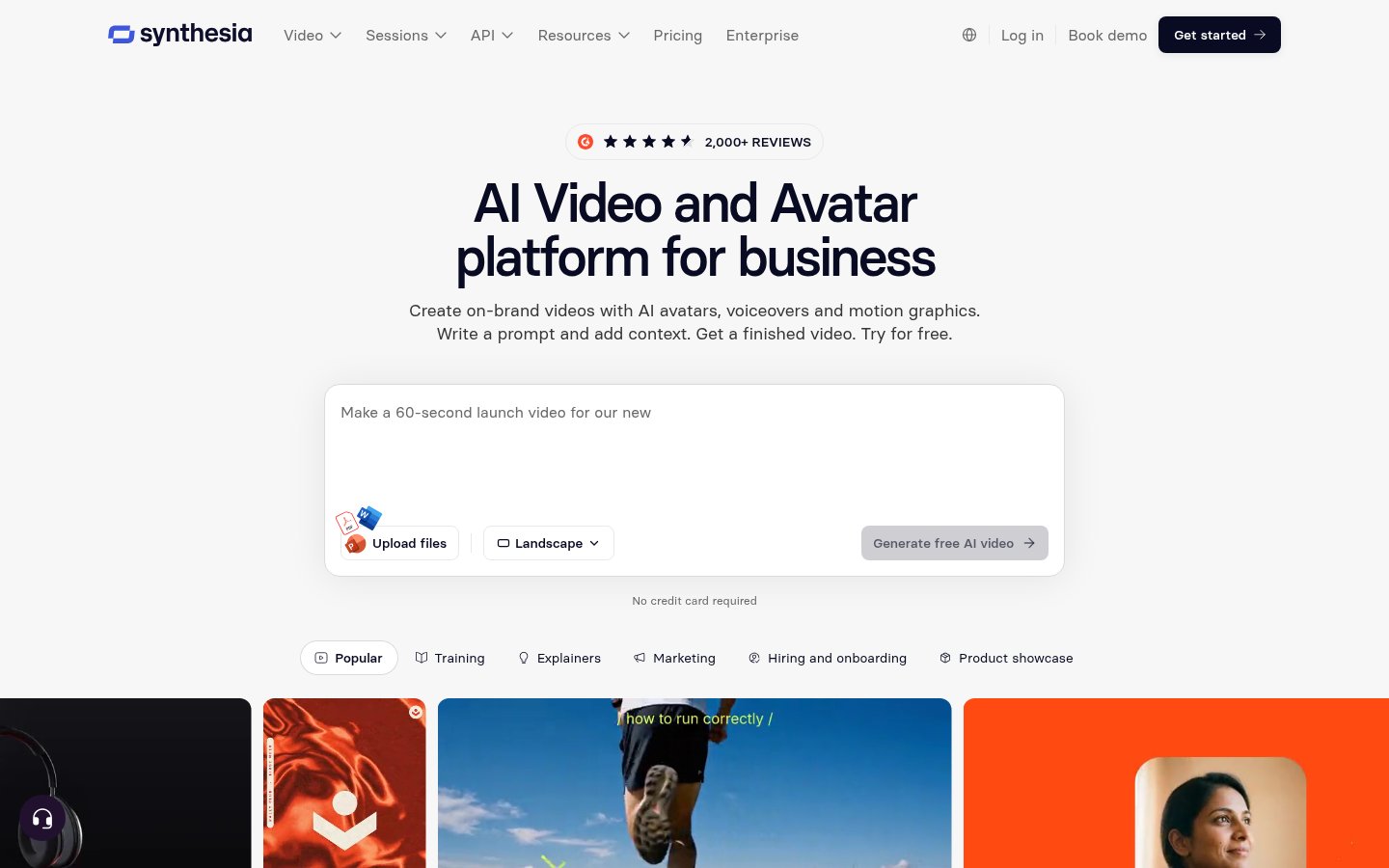
Want to turn training materials into videos or reduce the need to film again every time an explanation changes? Synthesia lets you create videos with AI avatars and voices from text and documents.
Based on the official feature descriptions, pricing, and terms, we outline what the service can do and what to check before subscribing.
What Is Synthesia?
Synthesia is a service for businesses that creates videos using AI avatars, voices, visuals, and music. Listed uses include training, onboarding, product explanations, and internal communications.
What You Can Do: Key Features
Have an Avatar Present Your Content
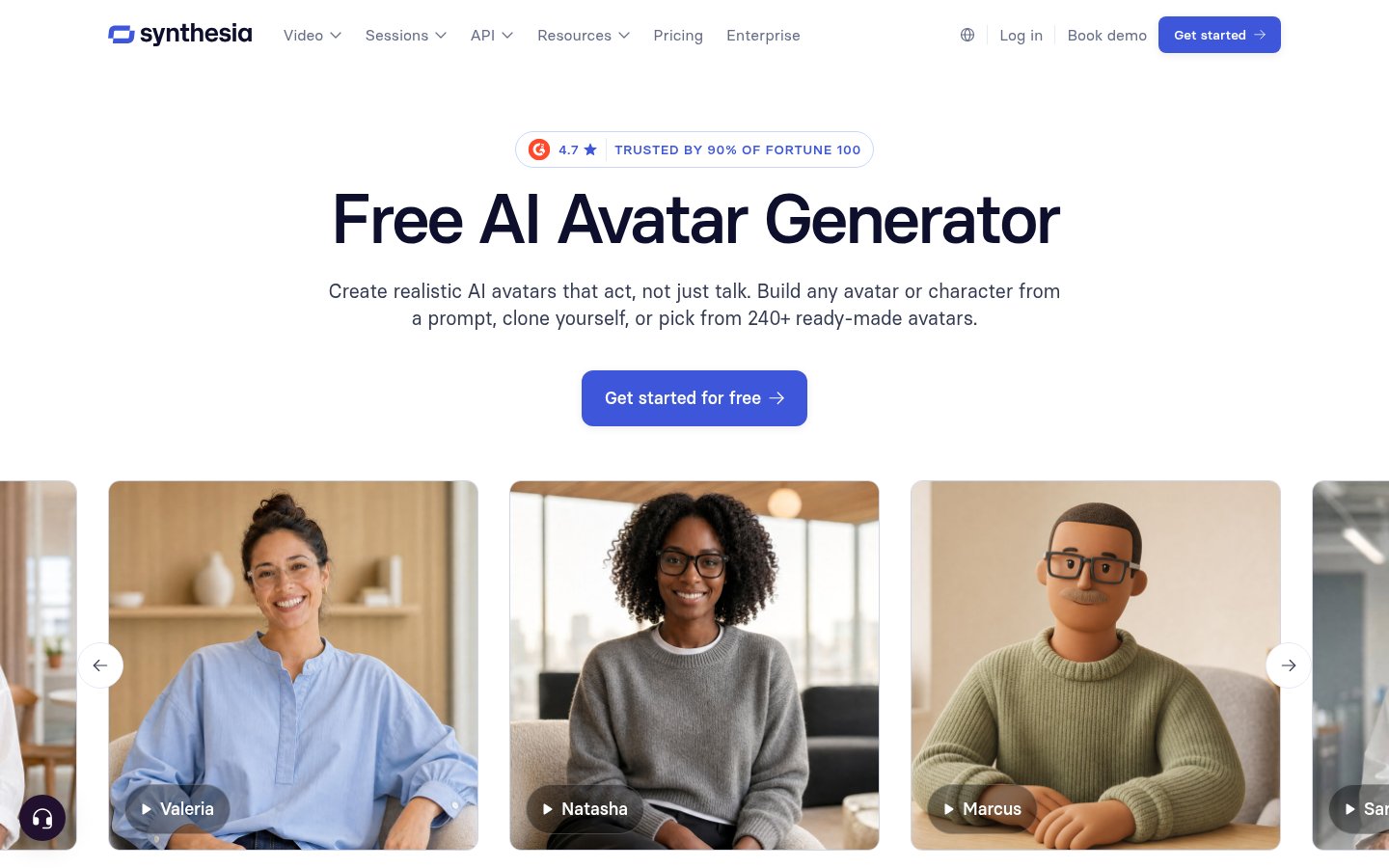
- Stock Avatars: Choose a presenter for your video from the available people.
- Personal Avatars: Create your own avatar from a photo or short video.
- Avatar Builder: Create people and characters using prompts or presets.
- Outfit and background changes: Adapt your avatar’s clothing and background to suit the content.
- Voice Cloning: Use a voice based on your own in your videos.
Create Videos from Documents or Prompts
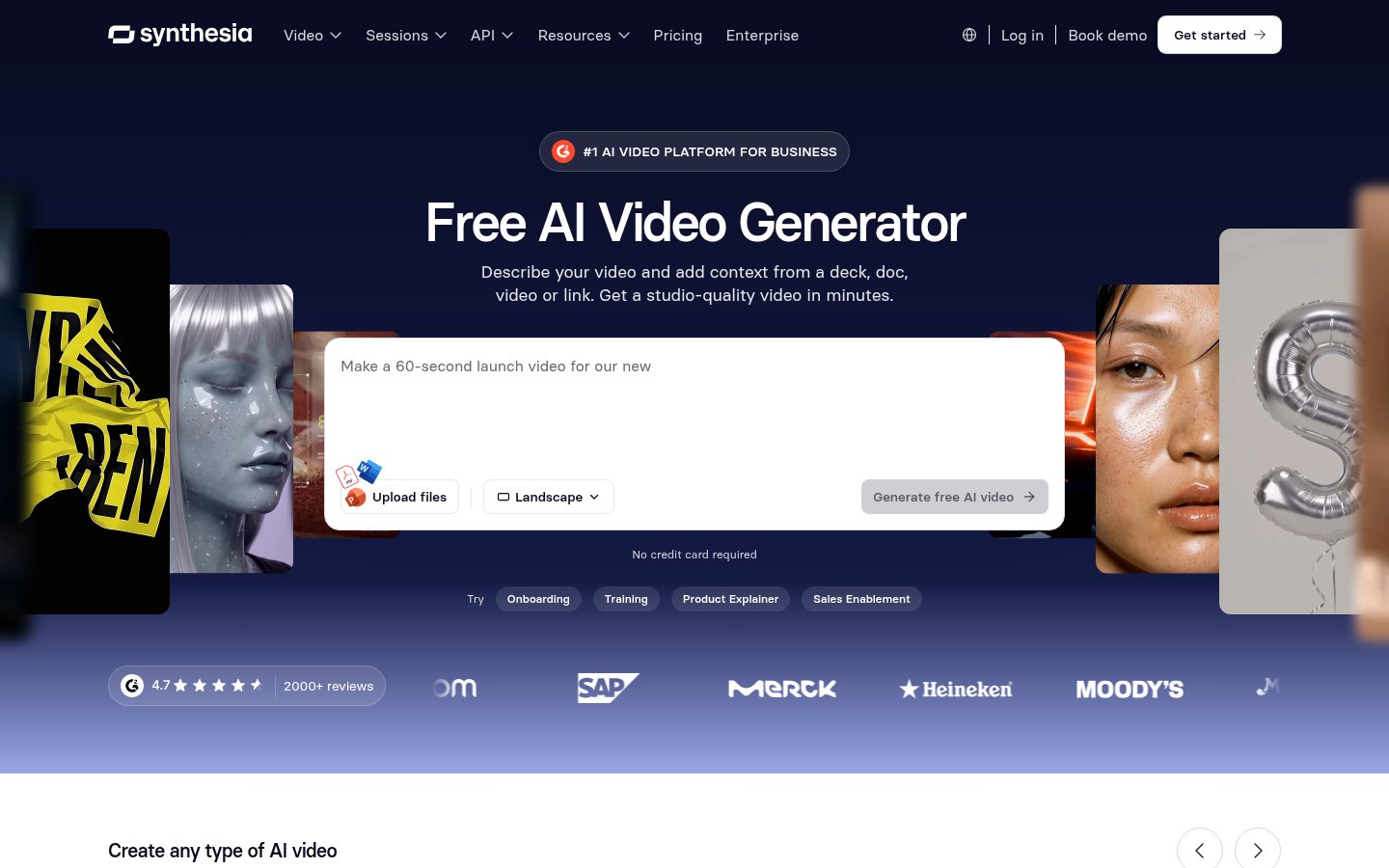
- Syren: Builds scripts, scenes, audio, and music from prompts or documents.
- Edit through chat: Request changes to the introduction’s length, voice, or appearance in writing.
- Landscape and portrait formats: Supports landscape videos for the web and portrait videos for social media and mobile.
- AI Playground: Generate video clips and images using AI models.
- Sharing and updates: Apply edits to videos already shared through links or embeds.
Translate Existing Videos
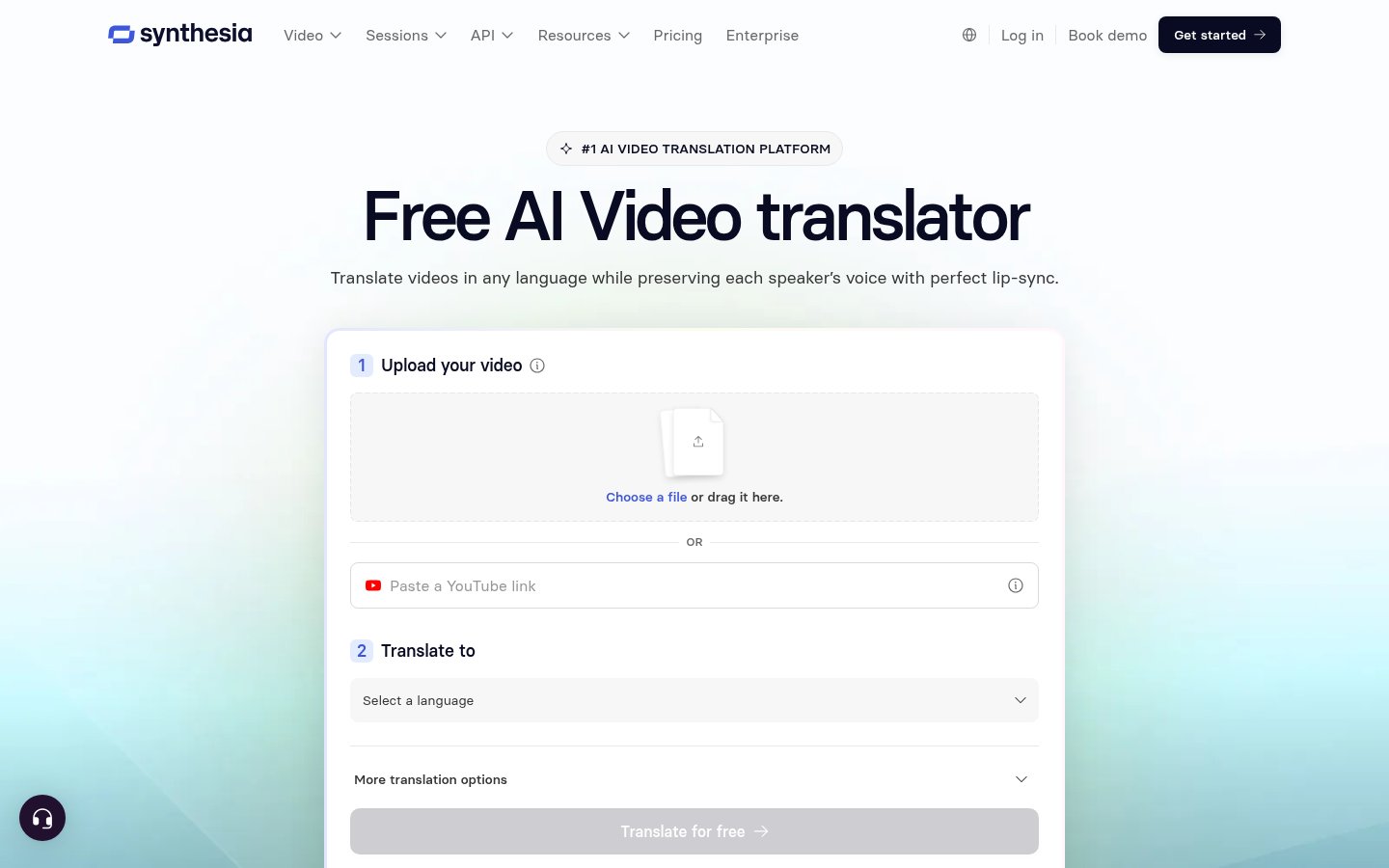
- AI Dubbing: Translate existing videos and create dubbed versions that preserve the original speaker’s voice.
- Lip sync: Adjust mouth movements to match the translated audio.
- Translation corrections: Refine transcripts, technical terminology, and pronunciation before publishing.
- Multiple-speaker support: Detect speakers and change their voices.
Pricing Plans
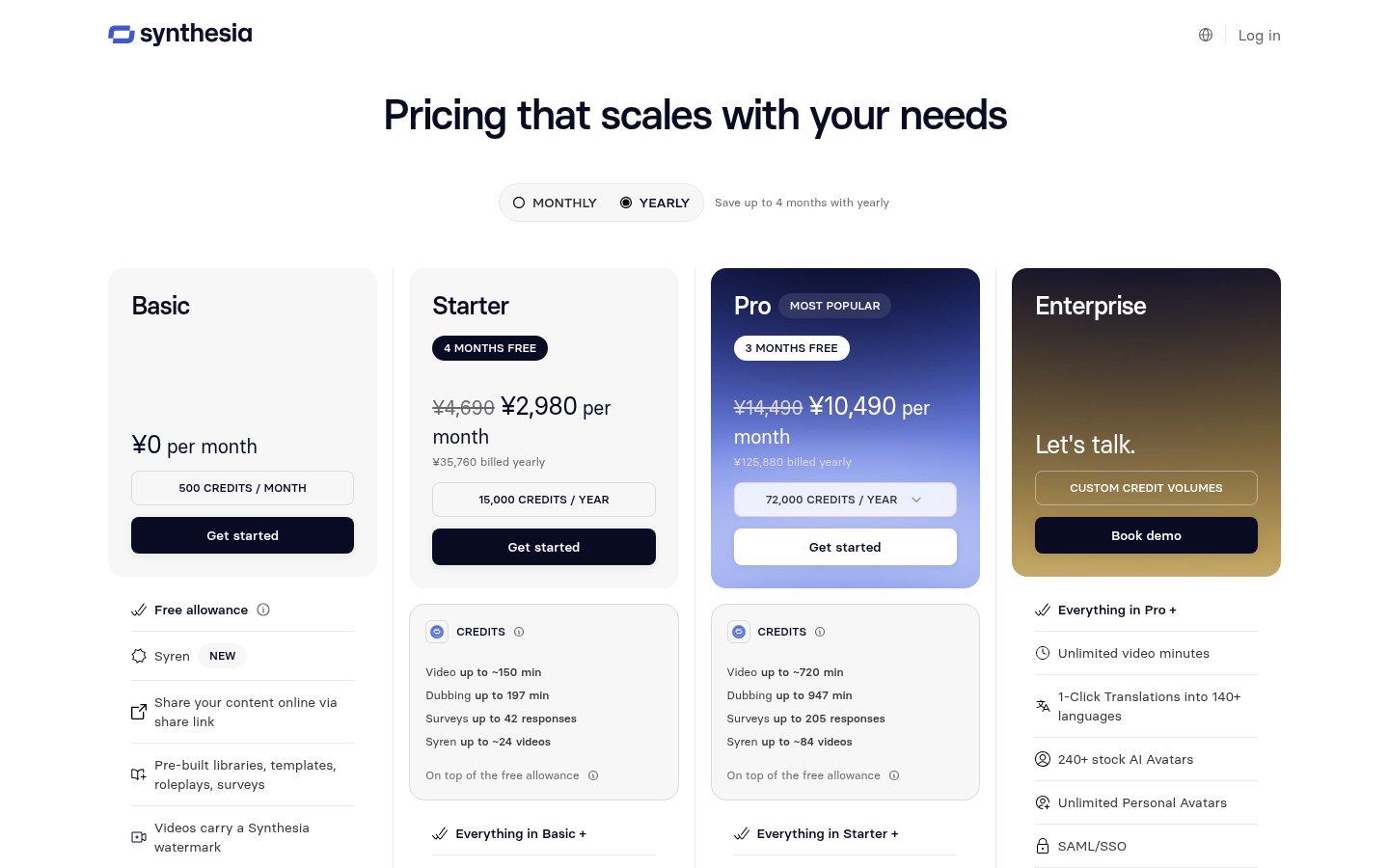
These are the yen prices visible in our review environment on Thursday, November 5, 2026. The displayed currency may vary by region. Whether the pricing page includes tax is unconfirmed; the Customer Terms state that fees exclude tax.
Monthly and Annual Billing
Plan | Price with monthly billing | Displayed monthly price with annual billing | Annual charge | Credits |
|---|---|---|---|---|
Basic | ¥0 | ¥0 | Free | 500 per month |
Starter | ¥4,690 | ¥2,980 | ¥35,760 | Monthly billing: 1,250 per month / Annual billing: 15,000 per year |
Pro | ¥14,490 | ¥10,490 | ¥125,880 | Monthly billing: 6,000 per month / Annual billing: 72,000 per year |
Enterprise | Custom quote | Custom quote | Custom quote | Custom allocation |
Usage Allowances and Key Differences
Item | Basic | Starter | Pro |
|---|---|---|---|
Video allowance | 10 minutes per month | Monthly billing: approx. 12 minutes / Annual billing: approx. 150 minutes | Monthly billing: approx. 60 minutes / Annual billing: approx. 720 minutes |
Stock avatars | 9 | 125 or more | 180 or more |
Editors and guests | 1 editor | 1 editor and 3 guests | 1 editor and 5 guests |
Downloads | The plan card lists sharing links | Supported | Supported |
Synthesia logo | Included | Can be removed | Can be removed |
The video minutes listed for Starter and Pro are approximate allowances in addition to the free allowance. Videos, dubbing, and other uses draw from the same pool of credits. You cannot use the maximum allowance for every type of use at the same time.
Enterprise lists unlimited video minutes, 1-Click Translation into 140 or more languages, collaborative editing, Brand Kits, SCORM export, and more. Studio Avatars also has an additional fee listed in a different currency: “$1,000/year.”
What to Check About Credits and Contract Terms
Credits are used when generating content, rather than when editing or previewing it. For videos, usage is based on newly generated avatar footage rather than the full length of the finished video. A typical minute of finished video uses approximately 100 credits.
Dubbing costs 80 credits per minute with lip sync or 40 credits per minute without it. Costs for images and supporting footage vary by model and are displayed before generation.
Monthly allowances do not roll over. With annual billing, the full year’s credits are available upfront. Separately purchased credits are valid for 12 months. Once you reach your limit, video generation and similar features stop, and you are directed to buy more credits or upgrade your plan.
The pricing FAQ says you can cancel through settings. However, the Customer Terms provide for automatic renewal as a general rule and require notice of non-renewal at least 30 days before the end of the contract term. Fees already paid are non-refundable except where the contract provides otherwise, so check the conditions at the time of purchase.
How to Use Synthesia
These steps are based on the official overview.
Create a Video from a Prompt
- Open the website: Select “Get started” to begin signing up.
- Describe your idea: Briefly explain the video you want to create.
- Add your materials: Attach a PDF or PowerPoint as needed.
- Review the draft: Check the generated script and scenes.
- Request revisions: Use chat to request changes to the voice, introduction, or appearance.
- Share your video: Share or export it according to your plan’s terms.
Translate an Existing Video
- Add a video: Upload a supported file or enter a YouTube URL.
- Choose a language: Select the target language and dubbing settings.
- Review the content: Check the translation, pronunciation, and speakers’ voices.
- Publish: Deliver each language version through a sharing link.
Note: Sign-up, generation, translation, and export have not been tested. The registration fields and actual navigation flow have not been confirmed.
Who It Suits—and Who It May Not
This assessment is based on official information.
A good fit for people who want to
- Turn training materials into videos
- Use a presenter without filming
- Make existing videos available in multiple languages
- Keep internal videos updated
Not a good fit for people who want to
- Save videos without a logo for free
- Roll over their monthly allowance
- Make a one-time payment for each video
- Have guaranteed Japanese voice quality
How It Differs from Similar Tools
Synthesia stands out for combining AI avatar presentations, video generation from documents, dubbing of existing videos, and updates after sharing in one service. Details of other tools’ pricing, features, and quality have not been confirmed.
Points to Keep in Mind
- The service is described as allowing commercial use of generated content. However, you must check the rights to any materials you provide and obtain freely given, informed consent from anyone whose face or voice you use.
- Using stock avatars in paid social media advertising requires Synthesia’s explicit written consent. Restrictions also apply to television, political content, and other uses, so check your intended use against the AUP.
- Rights to customer data are separate from rights to Synthesia materials such as stock avatars. Avatars themselves cannot be exported, and use of generated content is subject to the contract terms.
- The feature overview describes videos up to 60 minutes long, while the pricing table lists a maximum of 3 minutes for Syren. The applicable conditions for each method and plan, and the end date for limited-time promotional credits, are unconfirmed.
- The dubbing overview page lists 140 or more languages, while the pricing table lists 70 or more for plans other than Enterprise. Confirm the conditions for your intended languages and features before subscribing.
- Registration fields, navigation flows, Japanese-language admin interface and customer support availability, translation, text-to-speech and lip-sync quality, and generation speed are unconfirmed or untested.
- Payment methods, the final amount billed in Japan, whether displayed prices include tax, and the conditions for credit refunds after failed generation are unconfirmed.
- Check both the pricing FAQ and the Customer Terms regarding non-renewal. How the notice deadline applies to cancellation through the interface is unconfirmed, so verify this when purchasing.
- The terms include provisions for using data to improve the service. The specific scope of AI training, how to opt out, and the time required to complete deletion are unconfirmed. The privacy policy text was outside the scope of this review.
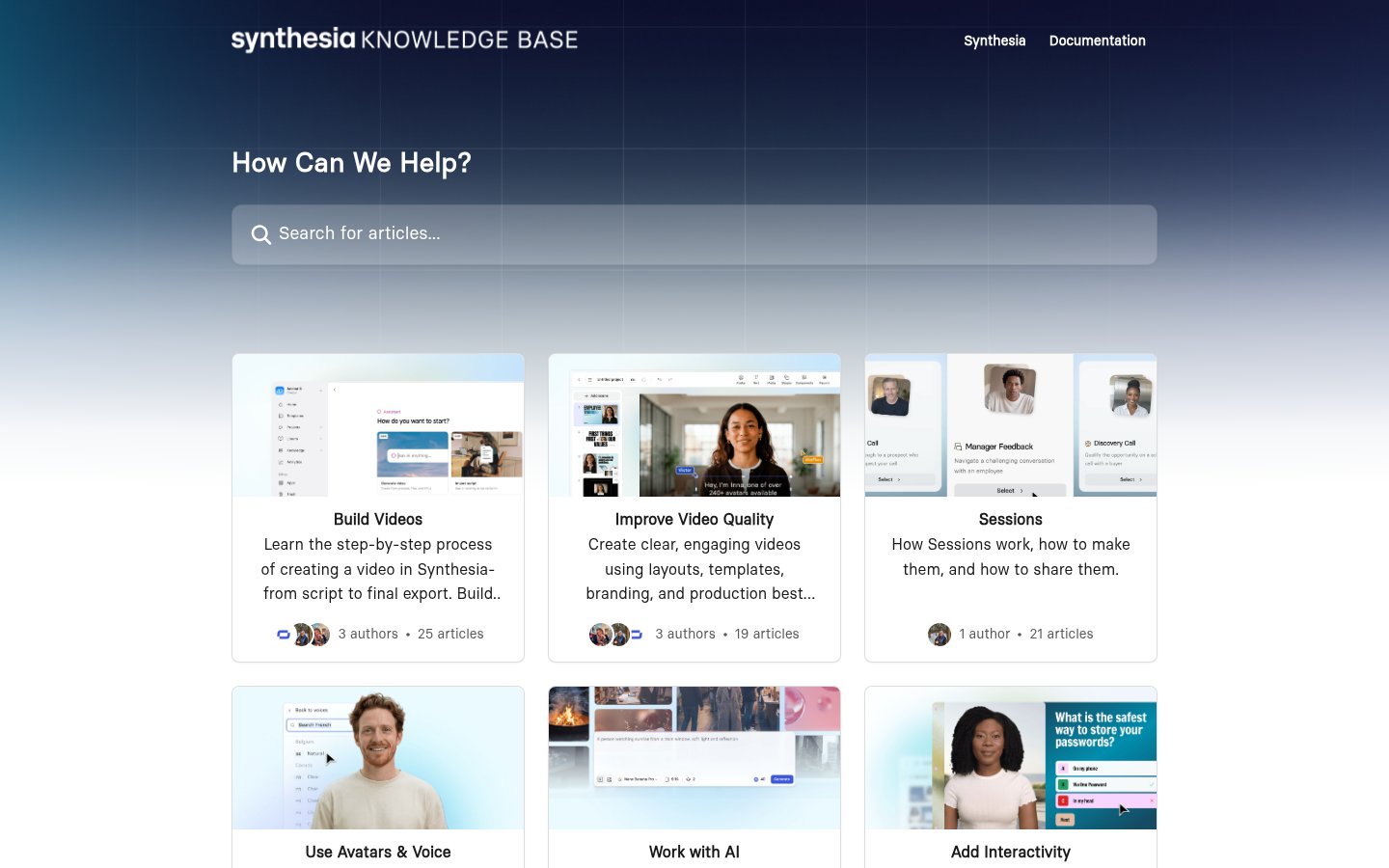
- Only the category list on the Help Center homepage was reviewed. Details in individual articles are unconfirmed, so keep separate copies of your scripts and finished files.
Conclusion
Synthesia is an option for people who want to turn documents into explainer videos and continue translating and updating them. At the time of review, Starter cost ¥4,690 with monthly billing, or a displayed monthly price of ¥2,980 and an annual charge of ¥35,760 with annual billing.
Start by trying the voices and presenters you need on Basic, then choose a plan after checking whether you can save videos, the video and translation allowances, and advertising restrictions.
Sources (page content reviewed Thursday, November 5, 2026)
- https://www.synthesia.io/ (Homepage)
- https://www.synthesia.io/pricing (Default annual billing view, monthly billing view after switching, and FAQ)
- https://www.synthesia.io/features/avatars (Avatars)
- https://www.synthesia.io/features/ai-video-generator (AI video generation)
- https://www.synthesia.io/features/video-translator (Video translation)
- https://help.synthesia.io/en/ (Help Center homepage)
- https://www.synthesia.io/legal/customer-terms-of-service (Customer Terms of Service)
- https://www.synthesia.io/legal/acceptable-use-policy (Acceptable Use Policy)
- https://www.synthesia.io/legal (Legal page directory)
Note: The above is based on a review of official page content retrieved using a headless browser on Thursday, November 5, 2026. The instructions describe the process presented in the official materials; TOOLPORT has not conducted hands-on testing.