What Is Monica? A Simple Guide to AI Assistant Features, Pricing, and How to Use It
Explore Monica’s AI assistant features, pricing, setup, and limitations, based on official page content reviewed on Thursday, November 5, 2026.
Information checked: Thursday, November 5, 2026. Official page content was reviewed, and unclear details are marked as “Unconfirmed.” Please check the latest pricing before subscribing.
Introduction
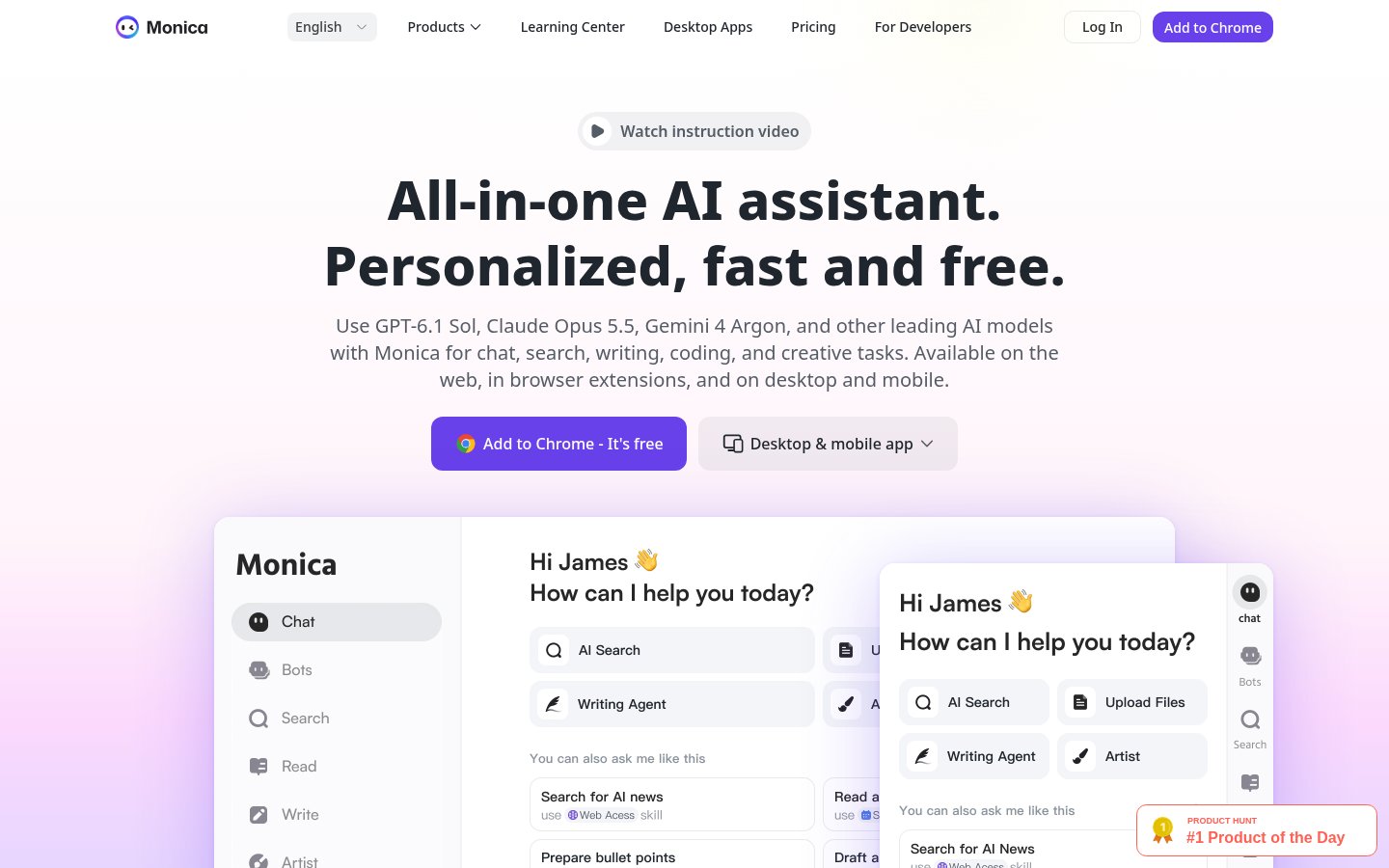
Want to summarize a web page as you read, translate English text, or draft an email? Monica is an AI assistant that brings together chat, search, writing, translation, and more.
Alongside its browser extension, Monica is available on the web, desktop, and mobile. Drawing on its official product pages, pricing, help, and terms, we cover what to know before using it for everyday tasks.
What Is Monica?
Monica is an assistant that gives you access to multiple AI models through a single service. It handles tasks such as answering questions, finding information, drafting and rewriting text, and reading documents.
In your browser, you can open it from a sidebar to translate, explain, or summarize selected text. The official introduction shows how to get help directly on the page before moving text to another screen.
What It Can Do: Key Features
Help with Reading, Research, and Writing
- AI chat: Ask questions from a web page and continue the conversation.
- Read: Read web pages, URLs, images, PDFs, and screenshots.
- Search: Research using multiple keywords and compile answers with references.
- Write: Create drafts with a specified length, format, tone, and language.
- Quick Actions: Translate, check grammar, explain, or expand selected text.
- Quick Compose: Write or refine text directly from input fields on web pages.
- YouTube summaries: Review a video’s key points with timestamps.
- Answer comparison: Compare answers from multiple models to the same question.
Translate on the Page You’re Working On
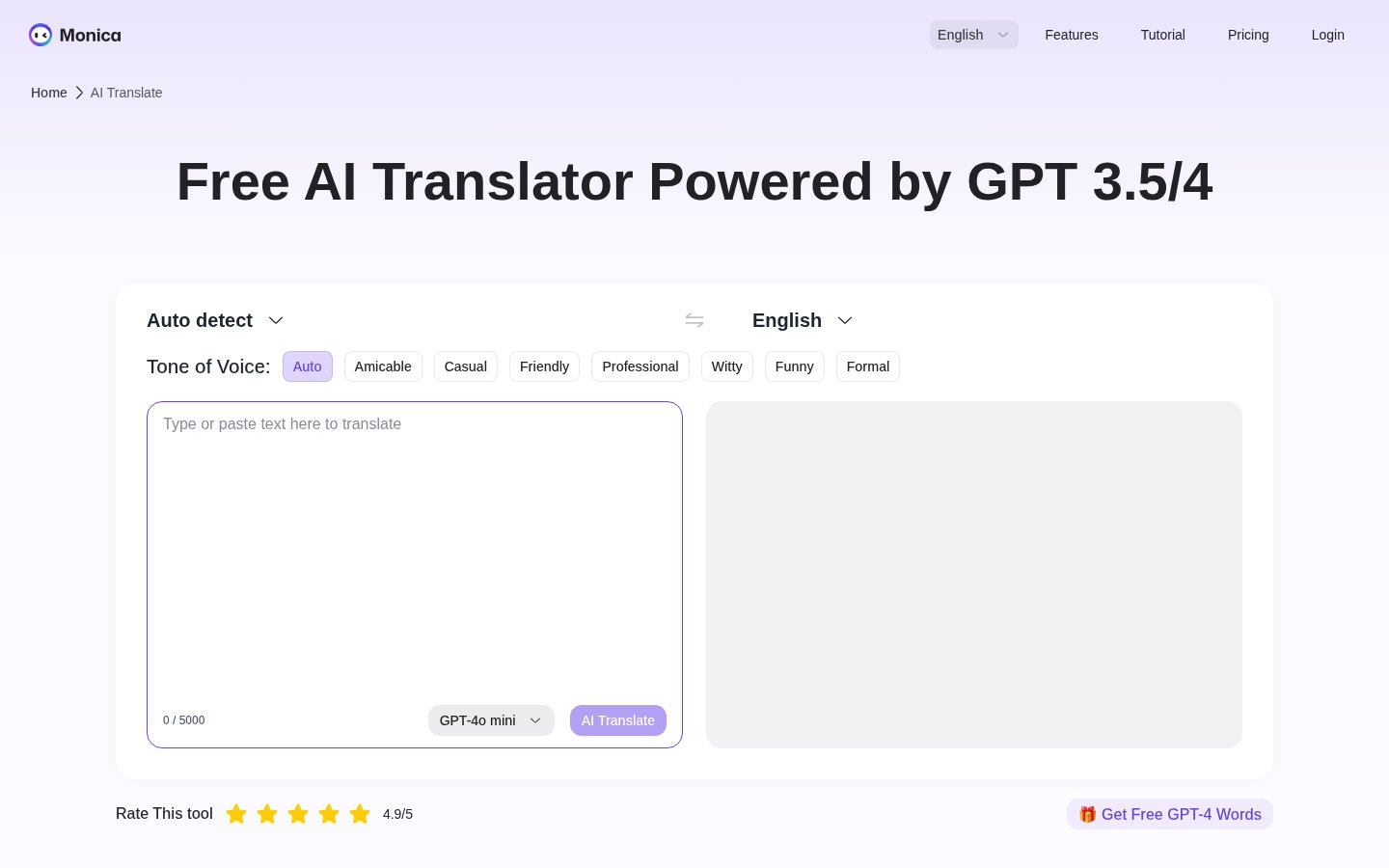
- Parallel Translation: Translate an entire web page while keeping the original text visible.
- Text translation: Translate copied text into a language of your choice.
- PDF translation: Access PDF translation from the toolbar.
- Tone selection: Choose a writing style, such as Formal, on the translation page.
The pricing comparison table lists Google, Microsoft, and basic models for free text translation, and higher-tier models for paid plans. DeepL is also listed under paid web page translation. The conditions may vary depending on how you access translation.
Desktop and Generative Features
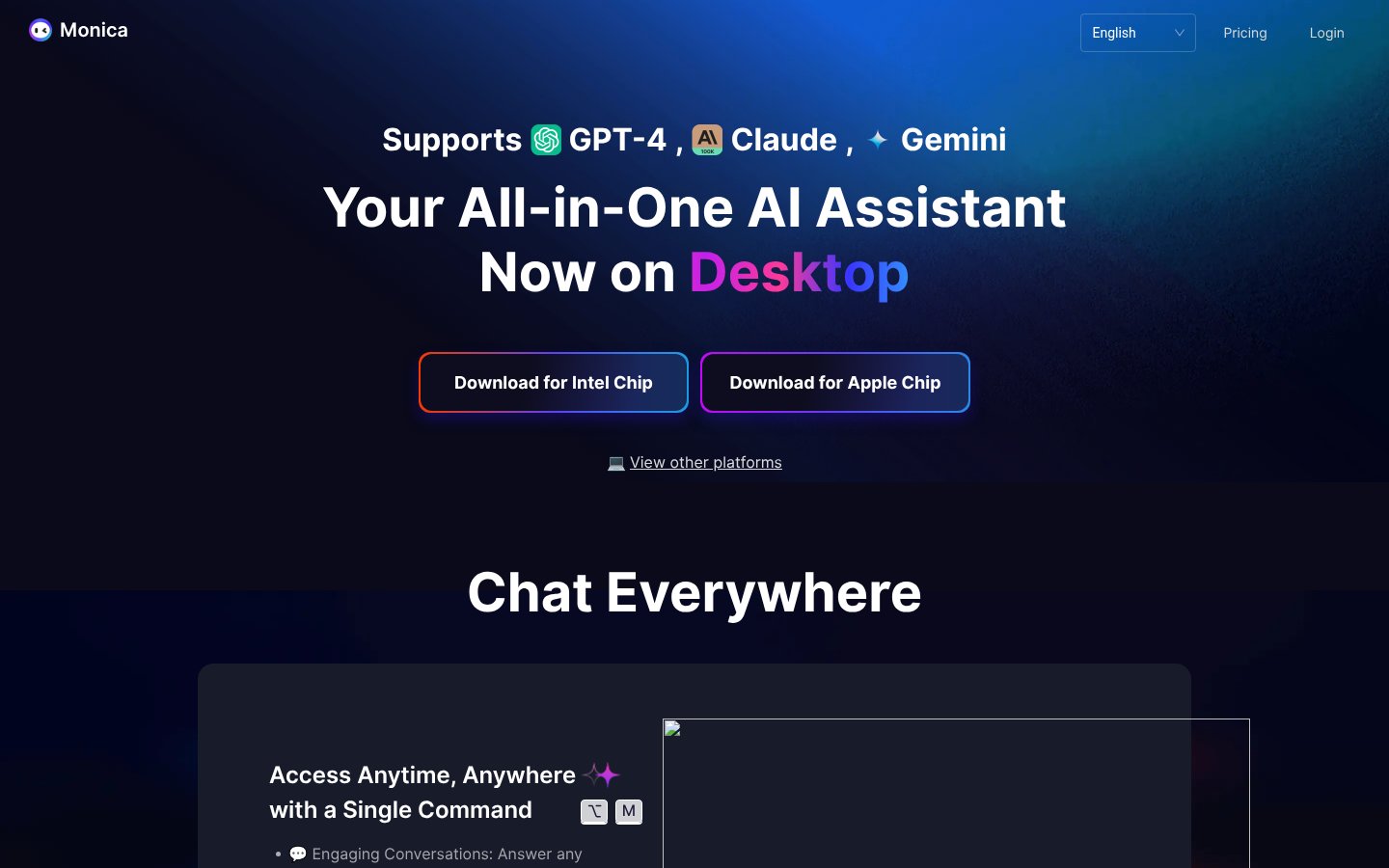
- Chat Everywhere: Use commands to open chat or writing tools.
- Quick Ask: Access search, translation, explanation, and summarization actions.
- AI Art: Generate images from written descriptions of scenes.
- AI Agent: Features presented include research and slide creation.
The desktop page offers Intel Chip and Apple Chip downloads for Mac, while its installation table lists MacOS and Windows. Be sure to distinguish browser extension instructions from desktop app controls.
Pricing Plans
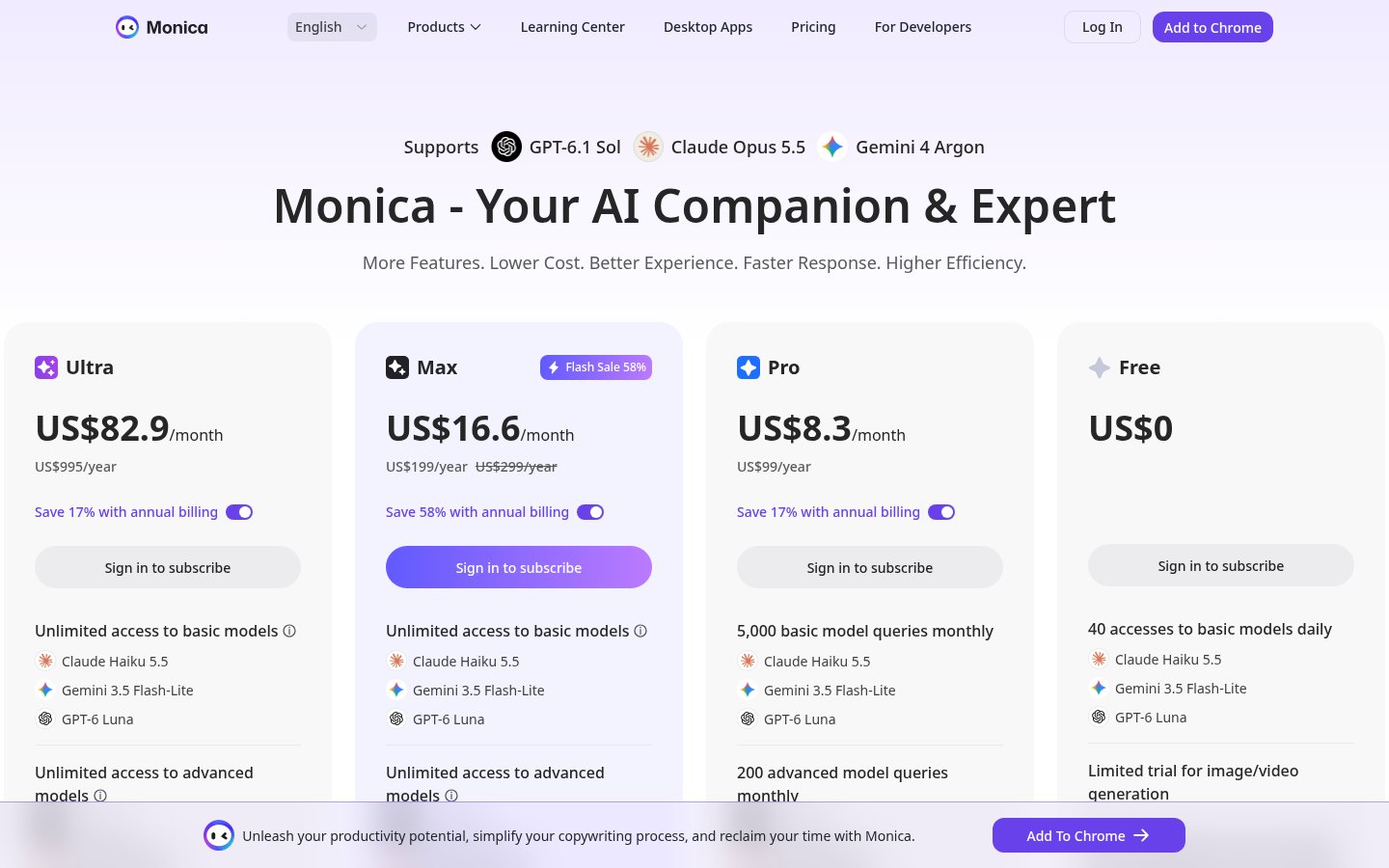
These are the official prices displayed on Thursday, November 5, 2026. Monthly and annual figures appear together, along with annual billing discounts, but no monthly/annual billing toggle was found. We have not established that the per-month figures in the table are prices available with monthly billing.
Plans and Displayed Prices
Plan | Displayed monthly amount | Displayed annual amount | Notes from the pricing page |
|---|---|---|---|
Free | US$0 | Unconfirmed | Also shown as US$0.0 in the comparison table |
Pro | US$8.3/month | US$99/year | Advertised as saving 17% with annual billing |
Max | US$16.6/month | US$199/year | Flash Sale 58%; US$299/year is crossed out |
Ultra | US$82.9/month | US$995/year | Advertised as saving 17% with annual billing |
Model Usage Limits and Credits
Item | Free | Pro | Max | Ultra |
|---|---|---|---|---|
Basic models | 40 uses per day | 5,000 uses per month | Listed as unlimited | Listed as unlimited |
Higher-tier models | Usage allowance unconfirmed | 200 uses per month | Listed as unlimited | Listed as unlimited |
Advanced Credits | Credit allowance unconfirmed | 0 | 0 | 20,000 |
Number of signed-in devices | 3 | 5 | 5 | 10 |
Image and video generation | Limited trial | Uses credits | Uses credits | Uses credits |
Pro and Max list image and video generation and AI Agent among their features despite including 0 Advanced Credits. The comparison table says these features, along with ChatPDF, use credits, so check how many you will need and how to obtain them before subscribing.
Subscriptions and Cancellation
The pricing FAQ describes Max as the former Unlimited plan and says it is in beta testing. It states that Max and Ultra terms and prices may change depending on model providers’ policies and costs.
Accounts are for individual use only. Account sharing, use by multiple people, and automated or bulk requests beyond individual use may result in restrictions or suspension. Device limits do not mean that multiple people may share a subscription.
The terms specify automatic renewal and explain that you can stop renewal through your profile screen or by contacting [email protected]. After cancellation, you can continue using the service until the end of the period you have paid for.
Fees are generally non-refundable unless a refund is required by law. Exceptional partial refunds are at the operator’s discretion and may be refused for discounted purchases or in other cases. Monthly billing availability, whether prices include tax, and payment methods available in Japan are unconfirmed.
How to Use Monica
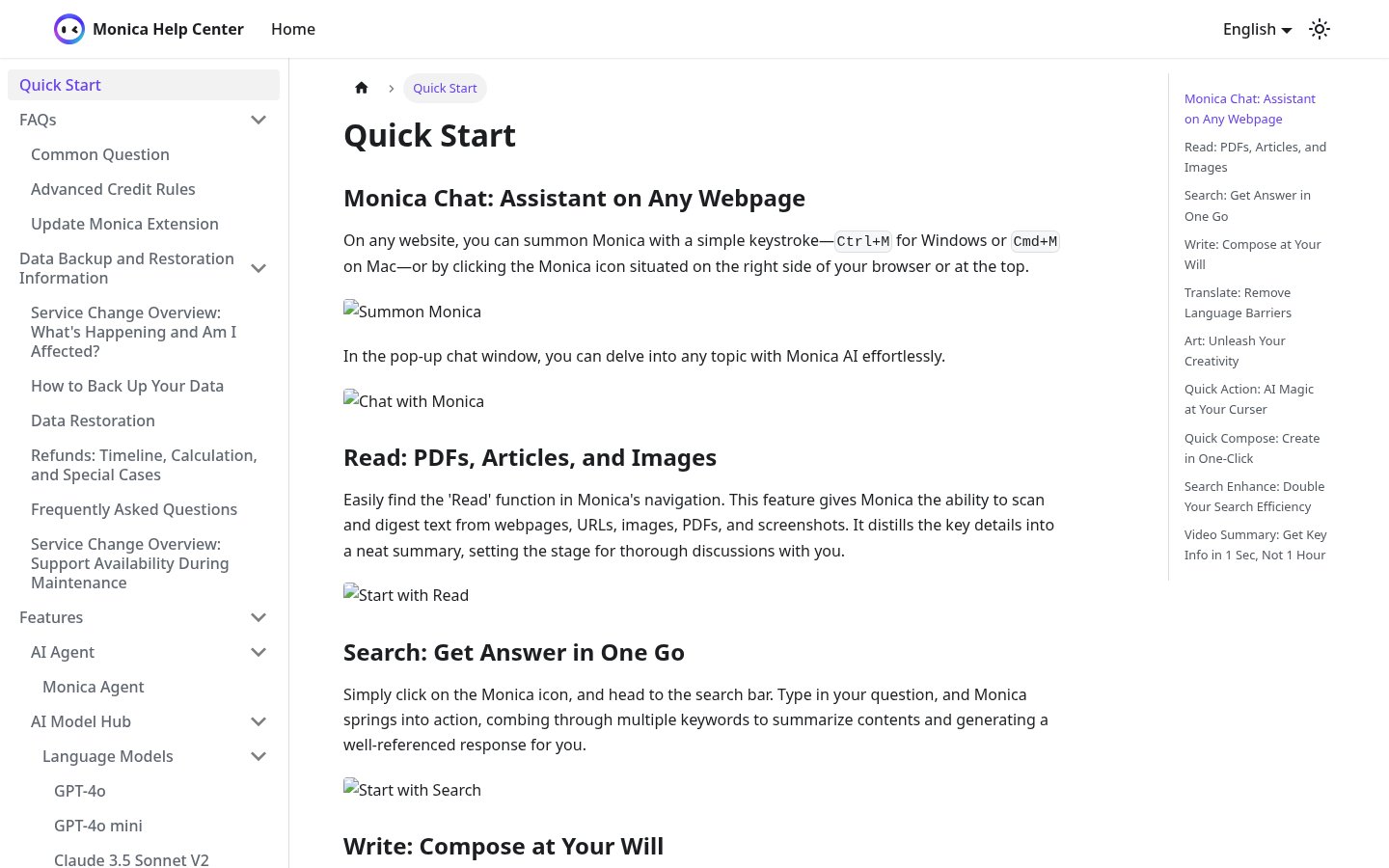
The following steps are based on Quick Start in the official help center.
Open Monica in Your Browser
- Install it: Start with “Add to Chrome” on the official website.
- Open it: Press Ctrl+M on Windows or Cmd+M on Mac.
- Ask a question: Type your question in the chat field that opens.
- Select text: Select text on the page to display the toolbar.
- Choose an action: Select translation, grammar checking, explanation, or another action.
Summarize Documents and Create Drafts
- Open the reading feature: Select “Read” in the navigation.
- Provide your material: Supply a URL, PDF, or other material to read.
- Check the key points: Read the summary and compare it with the original material.
- Open the writing feature: Select “Write” to create a draft.
- Specify your requirements: Set the content, length, format, and tone.
- Refine the text: Review and edit the generated content.
Translate While Keeping the Original Text
- Open translation: Select “Parallel Translation.”
- Choose a language: Specify the language you want to read the translation in.
- Compare with the original: Check the meaning and terminology in the translation displayed alongside it.
Note: Installation, registration, generation, and translation have not been tested. Registration fields, permission settings, and the actual navigation flow are unconfirmed.
Who It Is and Isn’t Suited For
These are the editorial team’s views based on official information.
Suited for people who want to
- Ask questions while reading web pages
- Compare original text with its translation
- Handle document summaries and drafts in one place
- Compare answers from multiple models
Not suited for people who want to
- Share an account with a team
- Generate images without worrying about credits
- Publish AI answers as they are
- Require complete confidentiality for their inputs
How It Differs from Similar Tools
Monica stands out for combining chat with multiple models and translation, summarization, and writing tools you can use on the page you are browsing. Details of other tools’ pricing, features, and quality are unconfirmed.
Things to Keep in Mind
- The terms require users to be at least 18 and of legal age where they live, and grant a license for personal use. The scope of permitted use in commercial deliverables is unconfirmed, and content related to commercial activities such as advertising is subject to prior written consent.
- Users are responsible for having the rights to input materials and obtaining consent from the people concerned. Entering sensitive personal information is prohibited, and explicit consent is also required for information or photos that can identify other people.
- The terms state that users retain rights to their inputs and outputs, but do not guarantee that outputs are exclusive, protected by intellectual property rights, or accurate. Check answers and translations against the original text.
- The terms include a license to use content to operate the service and a perpetual license to use aggregated content for improvements. They also describe sharing inputs with third-party AI services and circumstances in which third parties have no confidentiality obligations.
- The specific scope of use for AI training, opt-out methods, and retention periods after deletion are unconfirmed. The privacy policy text was outside the scope of this review, and there is no guaranteed obligation to retain your work, so save it separately.
- Advanced Credits usage rates, additional purchase prices, allocation cycles, rollover, expiration, refunds for failed tasks, and specific free trial allowances are unconfirmed. The text of the detailed rules articles in the help center was not reviewed.
- Monthly billing availability, billed amounts including taxes and fees, payment support in Japan, and the Max sale’s end date and renewal price are unconfirmed. Usage listed as unlimited is also subject to individual-use and anti-abuse conditions.
- Model names and versions differ across pages, and the actual range available is unconfirmed. The list of supported translation languages, Japanese interface and customer support availability, and Japanese-language quality are also unconfirmed.
- Installation, registration, navigation flows, and permission settings are unconfirmed. Desktop OS requirements, feature differences across devices, the scope of synchronization, and PDF file-size and page-count limits are also unconfirmed.
Summary
Monica is an option for people who want to read, research, write, and translate alongside their browser. Pro displays both US$8.3/month and US$99/year, but monthly billing availability is unconfirmed.
Start with Free to try opening Monica, summarizing, and translating. Then check the usage allowances for the models you need, Advanced Credits, and the conditions on what information you can enter before choosing a plan.
Sources (page content reviewed on Thursday, November 5, 2026)
- https://monica.im/ (Homepage)
- https://monica.im/pricing (Monthly and annual price displays, Flash Sale, comparison table, and FAQ)
- https://monica.im/help (Quick Start and help contents)
- https://monica.im/terms (Terms of service)
- https://monica.im/desktop (Desktop version. The retrieved page content came from https://monica.im/desktop?locale=en)
- https://monica.im/en/ai-translate (AI translation)
Note: This article is based on a review of official page content retrieved using a headless browser on Thursday, November 5, 2026. The usage instructions are explanations based on official introductions; TOOLPORT has not conducted hands-on testing.