Fyxer vs Superhuman (2026): Gmail, Outlook, Drafts, and Plans
18 November 2026 (Wed). Fyxer vs Superhuman Mail on Gmail, Outlook, drafts, scheduling, notes, plans, and security lines. No hands-on test.
Disclosure: Some links on TOOLPORT are affiliate links (marked Affiliate); we may earn a commission at no extra cost to you. Articles are drafted with AI assistance and based on each vendor's official information.
Fyxer vs Superhuman is the pair this page puts side by side. The pages were read on 18 November 2026 (Wed), Asia/Tokyo. Fyxer stays in the inbox you already open. Superhuman Mail is its own email app, and that same Mail page also names an Email Assistant that stays inside Gmail or Outlook. The rows are each company's own lines from that day: mailboxes, drafts, sorting, scheduling, meeting notes, the prices on screen, and the security sentences. This is not a hands-on test. No inbox was connected, and no plan was purchased.
Affiliate disclosure. The Try Fyxer button is a referral link. If you sign up through it, TOOLPORT may earn a commission at no extra cost to you. The commission does not change this page. The plans button and the Superhuman links open those companies' own sites. TOOLPORT does not sell these subscriptions. Affiliate disclosure.
Fyxer vs Superhuman: what this page lines up (2026)
The single-product write-up is the Fyxer AI review. It is a different page. This one does not repeat that credit-cost table. For meeting notes that name a notetaker as the product, see Fireflies vs Otter vs Fathom and the Fireflies AI review. The English post list and the Fyxer catalog card are on TOOLPORT.
A lower price on one card is not a cheaper inbox. Fyxer's open annual figure is per person. Superhuman Mail's open annual figure is per member. Neither page printed a cost per email.
Gmail and Outlook (2026)
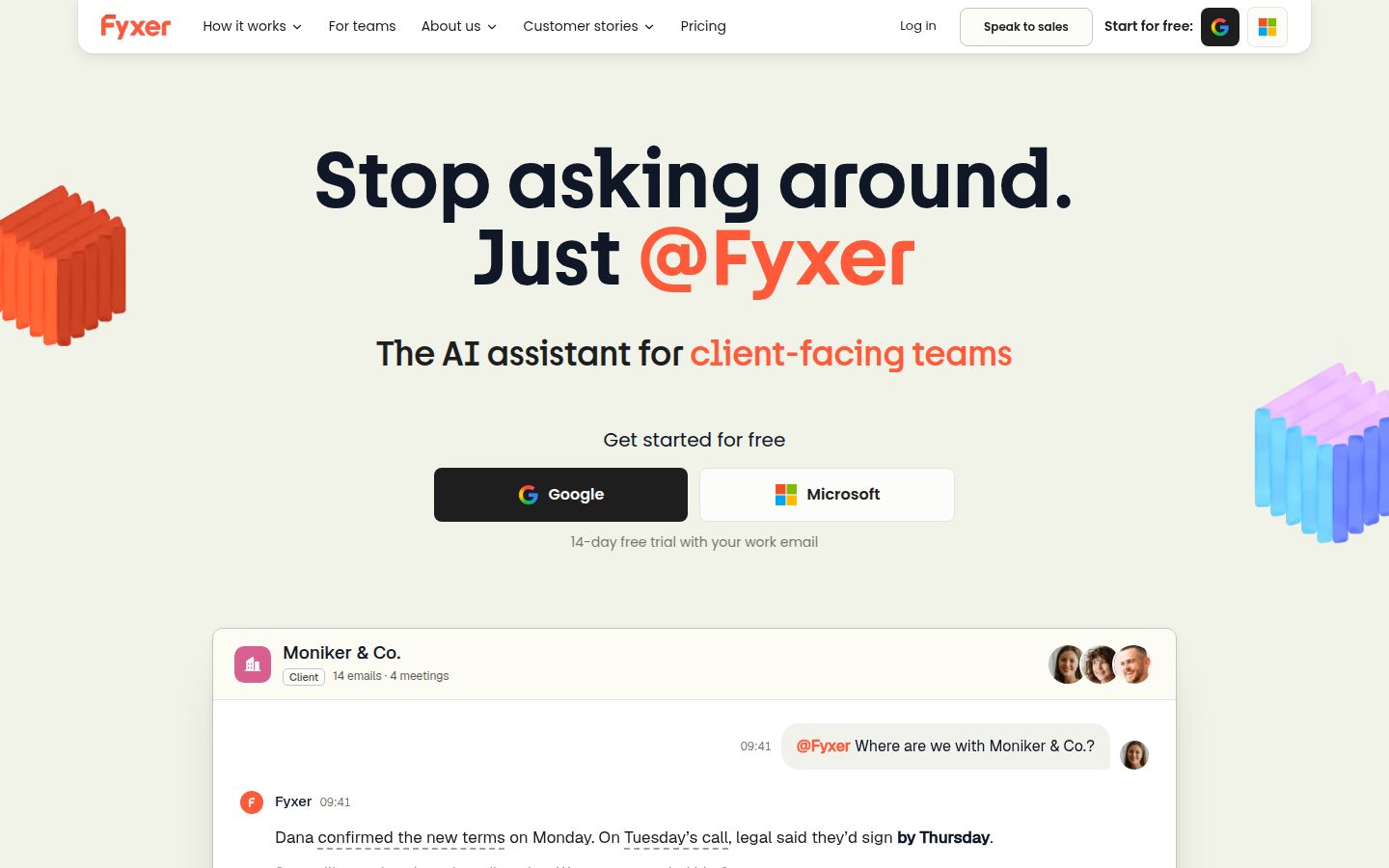
The Fyxer Gmail page says it organizes that inbox, drafts replies that sound like you, and takes Google Meet notes. It says Fyxer is Google-verified and that setup is about 30 seconds, inside the Gmail inbox already open.
The Outlook page says the same jobs for Outlook, plus Microsoft Teams notes, and that Fyxer is Microsoft-verified. That page printed two setup times. One paragraph says setup takes under two minutes. The steps and the FAQ say about 30 seconds. Both lines were on the page. This comparison does not pick one.
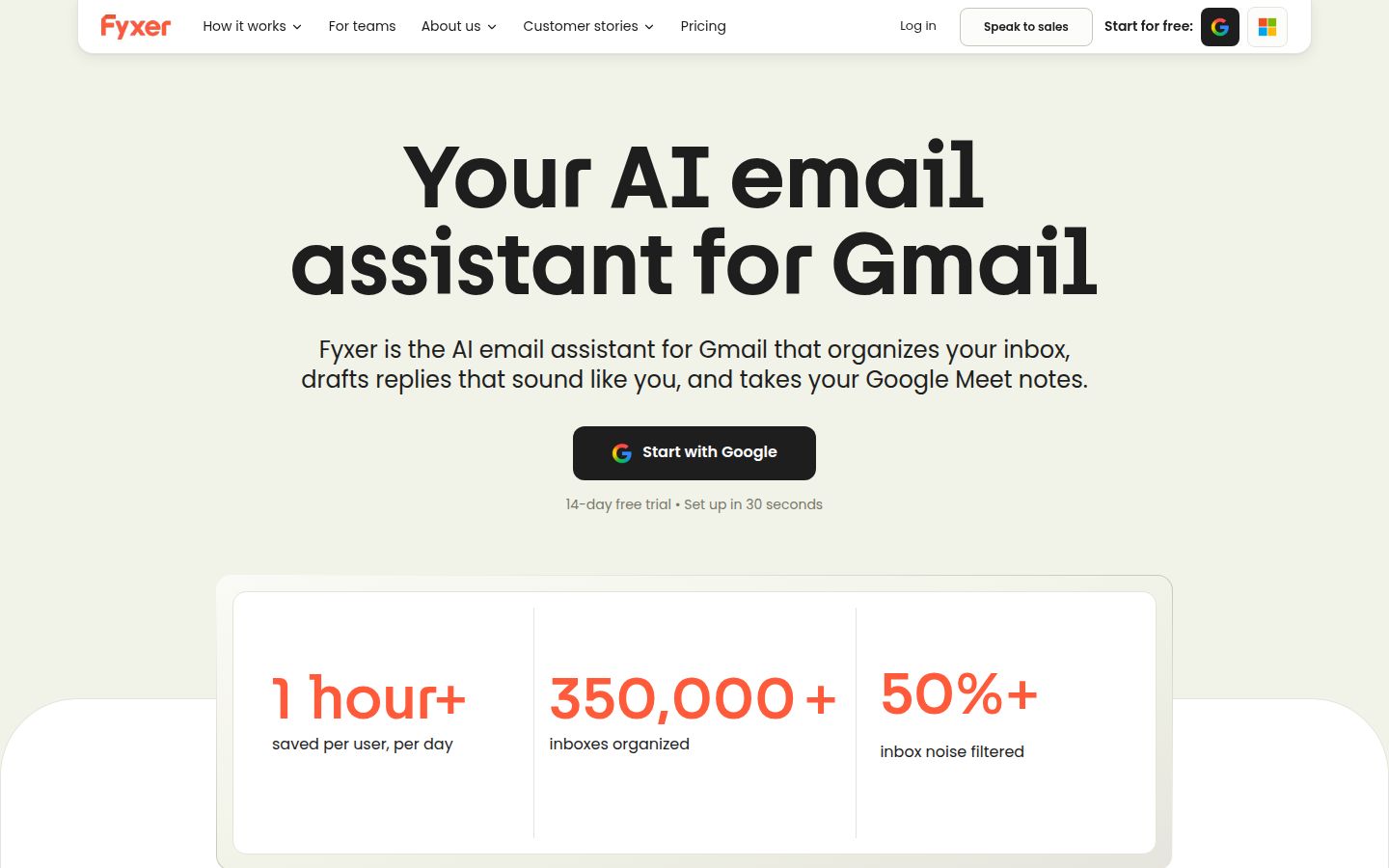
Beside Gmail and Outlook, the Fyxer homepage connect list also printed Slack, Microsoft Teams, Google Calendar, and Zoom. HubSpot, Claude, and ChatGPT were named. Salesforce and Asana were marked Coming soon.
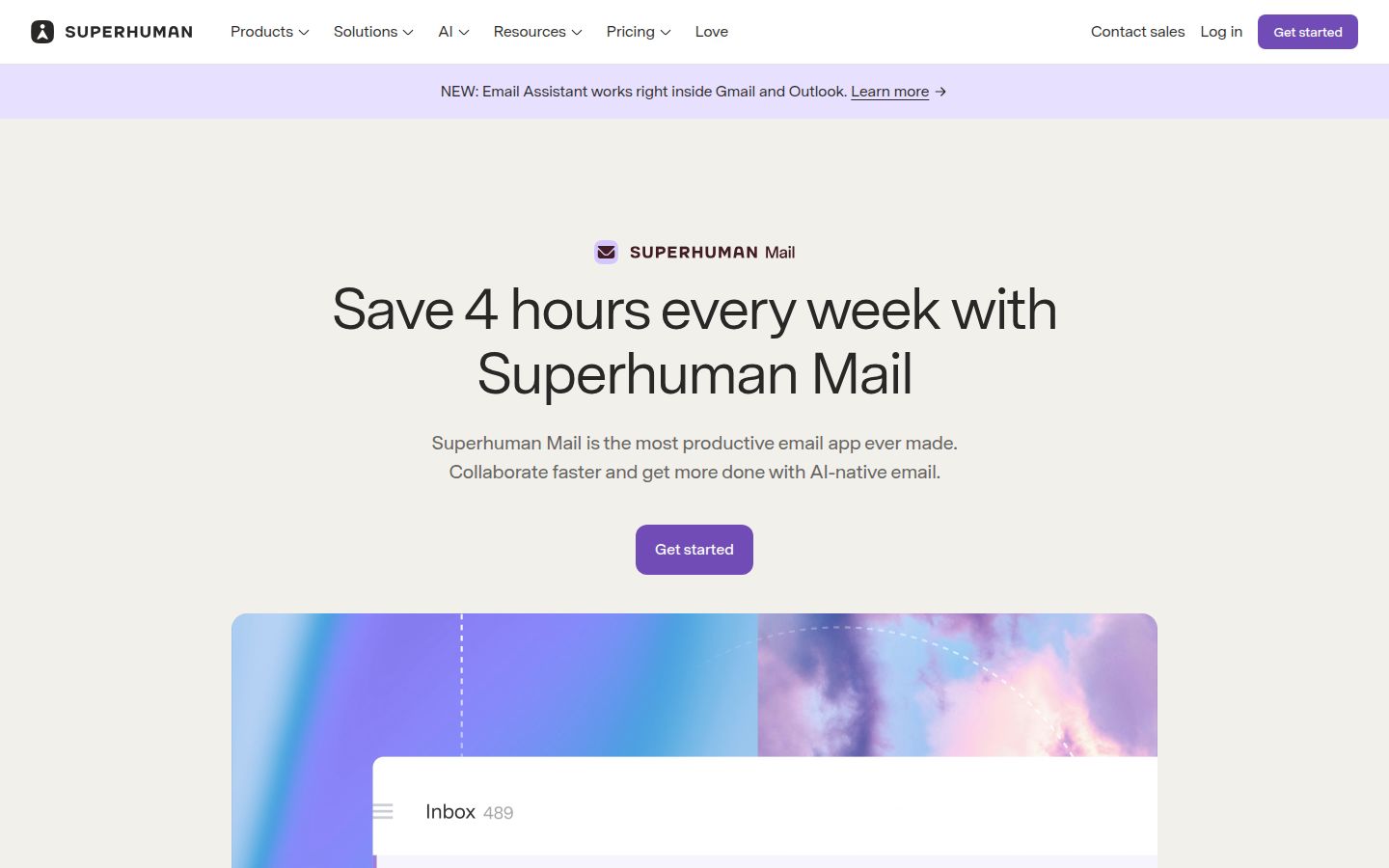
The Superhuman Mail page calls Mail “the most productive email app ever made.” A banner on that page says Email Assistant works right inside Gmail and Outlook. The section under it says the assistant sorts incoming messages, drafts replies in your voice, clears the noise, and reminds you to follow up. The page also says the product is built for teams that use Gmail or Outlook.
Drafts and sorting (2026)
On Fyxer, the homepage says the assistant labels and organizes the inbox and drafts replies in your voice. A line under the sample says the draft is saved for you to review and send. The security page says Fyxer will never send an email on your behalf. The pricing FAQ answers “Can Fyxer send emails on my behalf?” with no: it drafts, and you decide what gets sent.
The pricing comparison puts a dash on Free for “Automatic replies drafted in your tone” and for “Inbox sorted and labeled.” Pro, Team, and Enterprise show Yes for the draft row. The sort row says Pro uses credits, 5 emails per credit, including historical sorting. Team uses pooled credits at the same rate. Enterprise uses contracted credits.
On Superhuman Mail, the AI section says the assistant is drafting and, if you want, sending fully written emails on your behalf. It also names Split Inbox for mail from your team, VIPs, or tools such as Google Docs, Notion, and Asana.
The Mail plans comparison uses a check icon. Auto Labels, Auto Archive, and Write with AI showed that icon under Starter, Business, and Enterprise. Auto Drafts, Ask AI, and Custom Auto Labels with AI showed it under Business and Enterprise, and not under Starter. Starter's card still lists Superhuman AI and email productivity. Business's card says those three lines are added on top of Starter.
Scheduling (2026)
The Fyxer scheduling FAQ says it connects directly to Google Calendar and Outlook Calendar. You set hours, buffers, and availability, then share a link. The meeting lands in both calendars, and invites go out. The same FAQ names 1:1 bookings, team routing, and timezone detection. Another line says the email assistant can put that link into a draft when a meeting is needed. Setup on that FAQ is about 30 seconds.
The Superhuman Mail page says that when you suggest a date, it shows your calendar for that day, and a shortcut moves to the next day and updates the email. A later section says one tap creates an event, with title, description, location, attendees, and a date and time, from the email. If you are scheduling with your team, it says it finds a time when you are all free.
The Mail plans table lists Share Availability, Booking Links, Zoom Integration, Google Meet Integration, Microsoft Teams Integration, See Your Day, See Your Week, and Create Event. Each of those rows showed the check icon under Starter, Business, and Enterprise.
Meeting notes (2026)
The Fyxer meeting-notes page says the notetaker joins the call, summarizes the action points, and drafts the follow-up. It names Google Meet, Microsoft Teams, Zoom, and Outlook, and it says in-person audio on a phone or device is included. The FAQ says notes are ready within minutes after a Google Meet call. The pricing FAQ says you choose all meetings, only external ones, only the ones you host, or none. Free records audio, using the 400 credits. Pro and above add video, plus a drafted follow-up you can turn off.
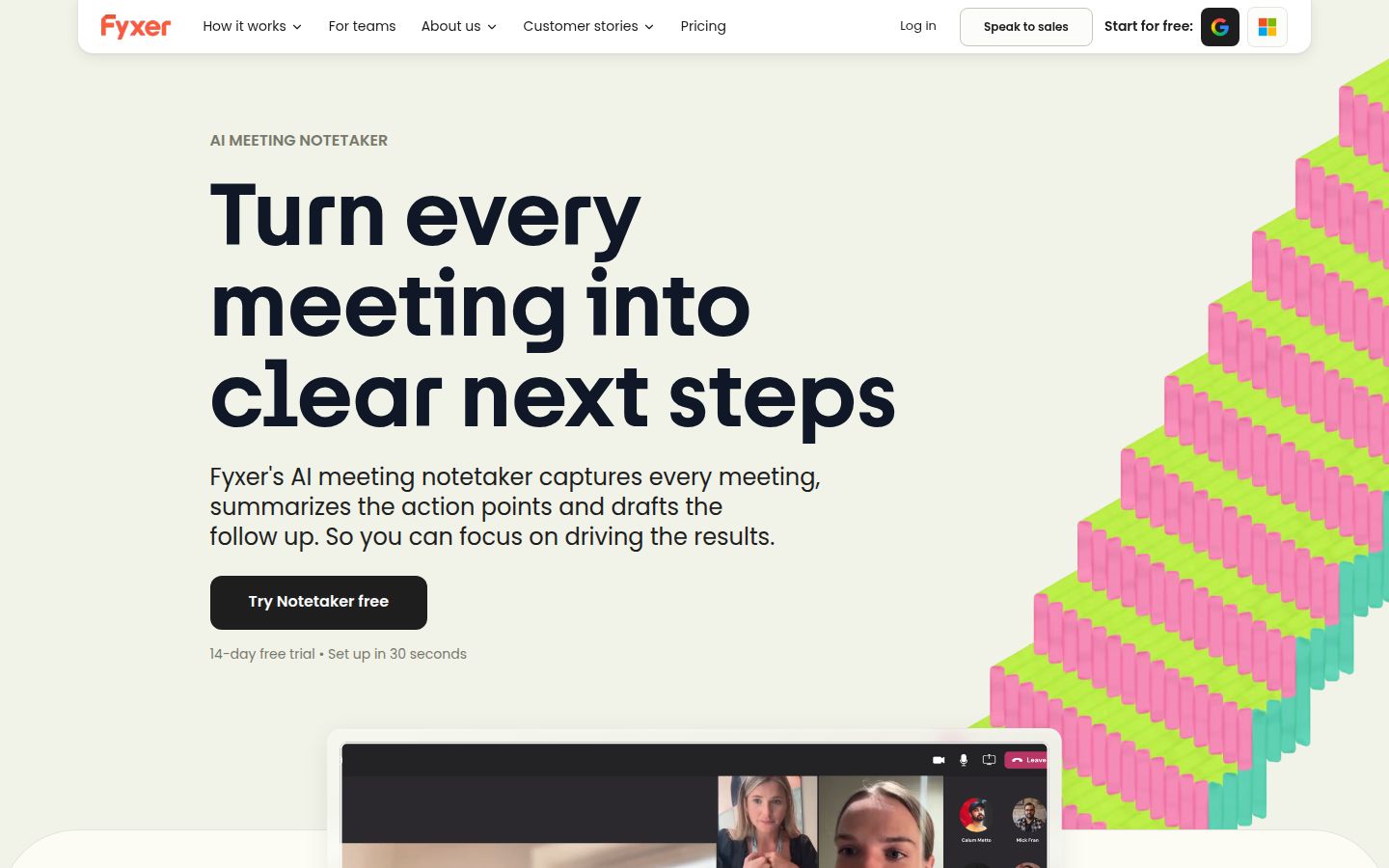
The meeting page says “broad language support” and does not print a count. A language count for Fyxer, and a language count for Superhuman Mail, were not on the pages read here. Both counts are Unverified.
The Superhuman Mail page and the Mail plans page did not print a sentence that a notetaker joins a call. The plans table does list Auto Summarize under Superhuman AI, with the check icon on Starter, Business, and Enterprise. That row name is not a meeting-notes sentence. A Superhuman notetaker is Unverified on the pages read for this comparison.
Plans and prices (2026)
On https://www.fyxer.com/pricing the open toggle was Annual, labeled “up to 35% off.” A Monthly control was on the page. The cards in the picture are that Annual view. The FAQ printed the monthly seat prices in words.
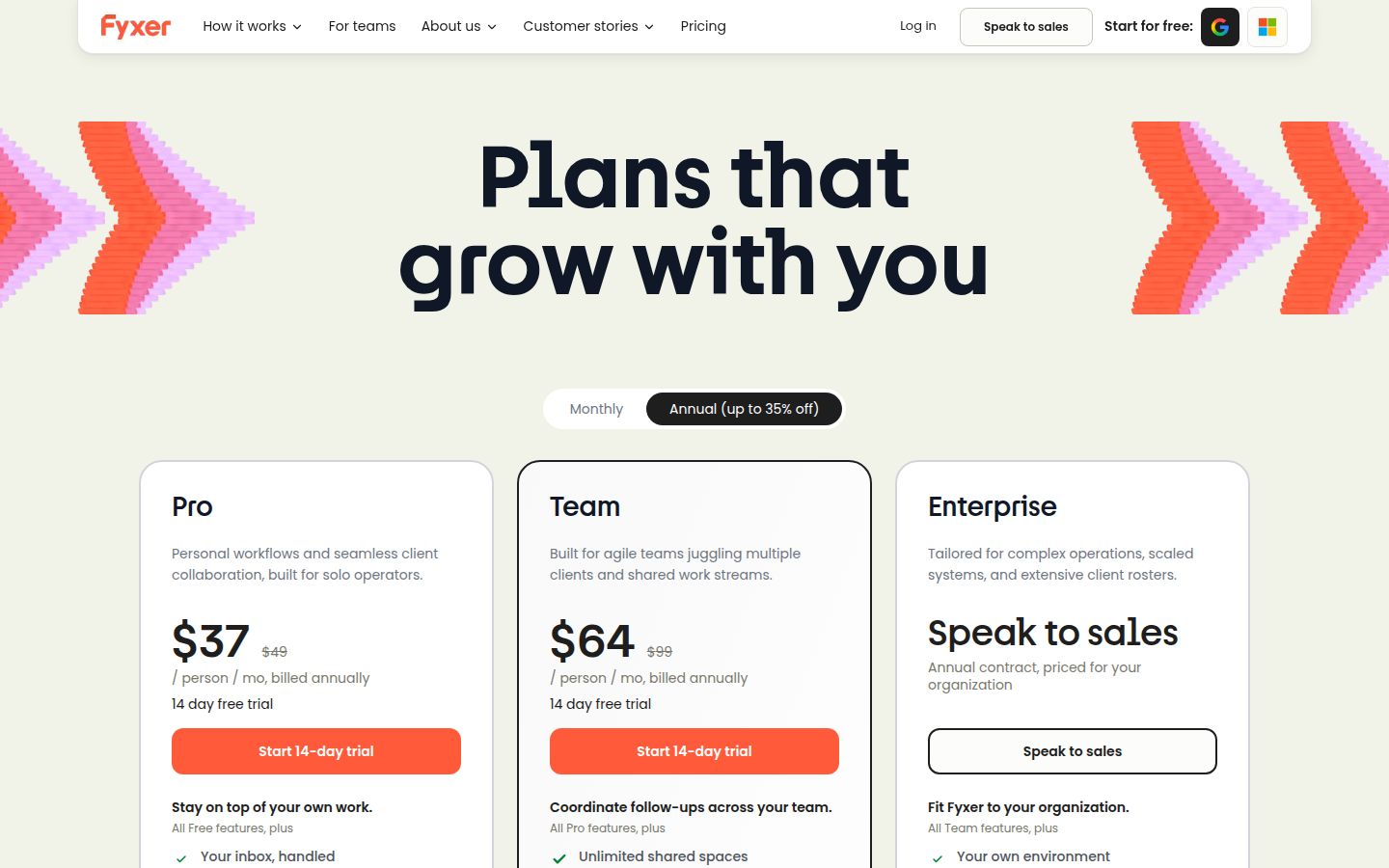
The Gmail and Outlook FAQs printed a shorter price line: Pro is $37/month per person and Team is $64/month per person. Those pages did not add “billed annually.” The pricing FAQ says monthly billing is $49 per seat per month on Pro and $99 on Team, and that annual billing saves 25% on Pro or 35% on Team. This comparison does not fold the Gmail “$37/month” line and the FAQ's $49 line into one sentence.
Fyxer plan on 2026-11-18 | What the pricing page printed |
|---|---|
Free | $0 on the plan strip. Comparison row: 400 credits. Trial cell: 14 days of Team. |
Pro | Annual card: $37 / person / mo, billed annually. $49 is struck through. FAQ: monthly billing is $49 per seat per month. |
Team | Annual card: $64 / person / mo, billed annually. $99 is struck through. FAQ: monthly billing is $99 per seat per month. Ten or more members: talk to sales. No volume dollar was printed. |
Enterprise | “Speak to sales.” The strip says Custom. No dollar amount was printed. The price is Unverified. |
The FAQ defines a seat as one paid member, however many inboxes or calendars they connect. Gmail and Outlook together are still one seat. Viewer seats cost nothing on Pro and Team.
On https://superhuman.com/plans/mail the open toggle was Annual, marked 17% off. Starter read $25 USD per member / month, billed annually. Business read $33 USD per member / month, billed annually. Enterprise read “Let’s talk!” No Enterprise dollar was printed on that card.
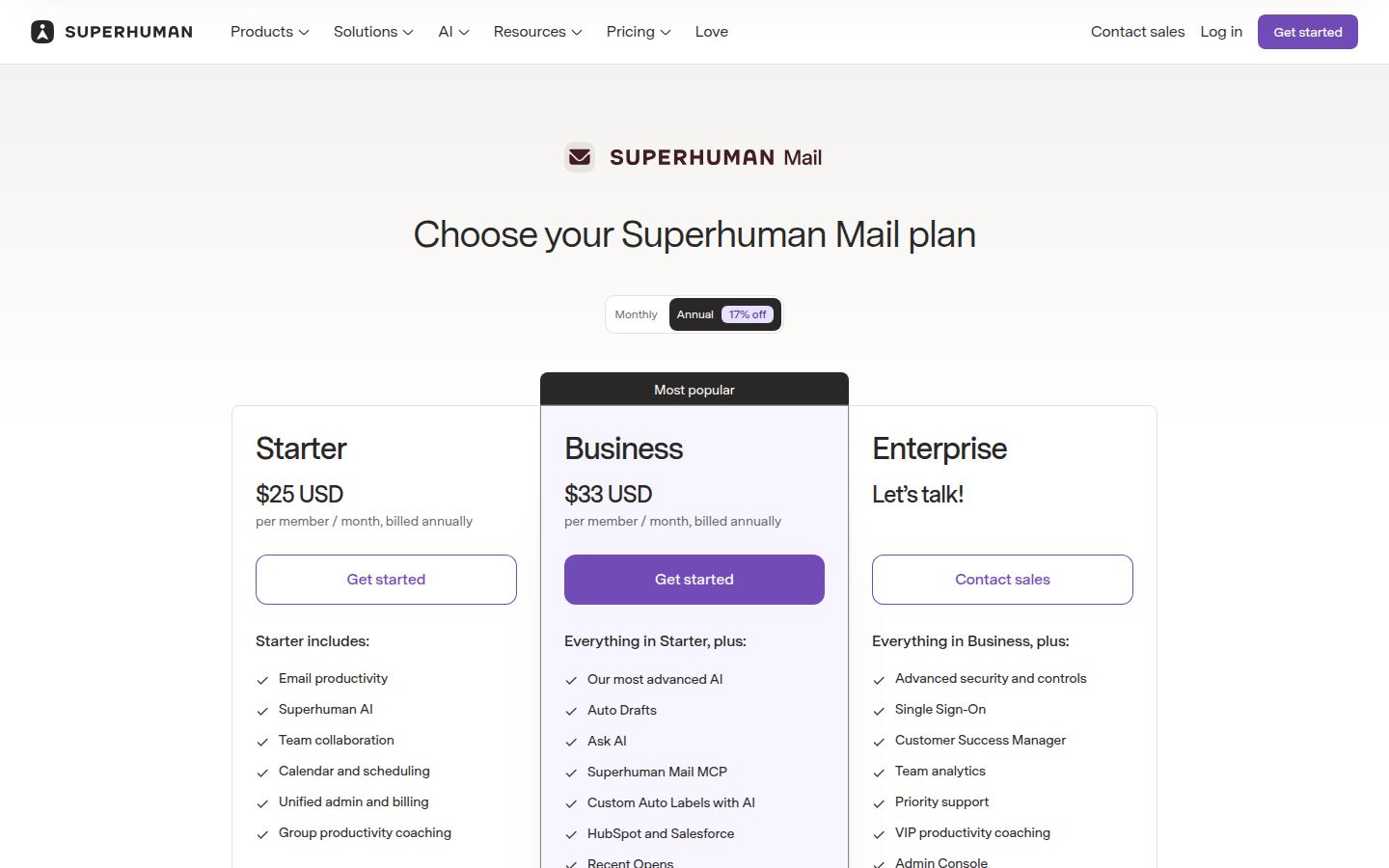
After Monthly was selected on that same Mail plans page, Starter read $30 USD per member / month and Business read $40 USD per member / month. Enterprise still read “Let’s talk!” The Monthly label did not say billed annually.
https://superhuman.com/plans is a different page, the suite. Free is $0 and lists Grammarly, Docs, and Go. It does not list Mail. Pro is $12 per member per month, billed annually, and $15 when billed monthly. That card lists Grammarly, Docs, and Go, and a line that Email Assistant can draft replies. It does not list Mail. Business is $33 per member per month, billed annually, and $40 when billed monthly, and that card does list Mail. Do not read the suite Pro price as a Mail price. The suite Business annual figure matches the Mail Business annual card. The suite Business monthly figure matches the Mail Business monthly card. They are still two pages.
The Mail plans page did not print a $0 Mail plan. Team Size on that comparison was up to 25 seats, up to 25 seats, and Unlimited, in Starter, Business, Enterprise order. Starter's card lists email productivity, Superhuman AI, team collaboration, and calendar and scheduling. Business adds Auto Drafts, Ask AI, HubSpot, and Salesforce.
The Fyxer homepage printed “Trusted by 25,000+ companies worldwide.” The pricing page printed “100,000+ people.” The Gmail page printed “350,000+ inboxes organized” and “1 hour+ saved per user, per day.” The Mail page printed “Save 4 hours every week.” Those are the pages' own lines. This comparison did not measure them. One shared headcount is Unverified.
Security lines (2026)
The Fyxer security page says Fyxer creates drafts and meeting follow-ups and will never send an email on your behalf. The FAQ on that page says Fyxer is SOC 2 Type II and ISO 27001 certified, HIPAA compliant, and GDPR compliant, and that your data is never used to train third-party AI models. The principles section also prints “SOC 2 Type 2.” Both spellings were on that page.
The pricing FAQ is narrower on HIPAA. It names SOC 2 Type II, ISO/IEC 27001, and GDPR, and says HIPAA compliance is available for Enterprise customers. The comparison table puts “Security review, DPA, HIPAA, custom terms” on Enterprise only. The scheduling FAQ prints SOC 2 Type II, ISO 27001, GDPR, and HIPAA without an Enterprise limit. The meeting-notes safety answer prints SOC-II, ISO 27001, and GDPR, and does not print HIPAA in that answer. This comparison does not pick one HIPAA scope.
The Gmail page and the Outlook page say email data is never stored permanently. This comparison did not open the privacy policy, so a deletion timeline is Unverified. The security page points to a Trust Center for certificates. Those certificate files were not opened. The documents themselves are Unverified.
On meetings, the Fyxer security FAQ says participants are notified before Fyxer joins, and if they decline it will not join. Recordings, transcripts, and summaries are private by default and visible to the person who owns the calendar event, unless that person shares them.
The Superhuman Mail plans comparison prints a row named SOC 2 (Type 2). The check icon was under Starter, Business, and Enterprise. Single Sign-On, user provisioning (SCIM), custom compliance, Google Advanced Protection, advanced admin controls, external recipient indicators, Bring Your Own Key, phishing reporting, and audit logs showed the check icon under Enterprise only.
A HIPAA row was not on that Mail plans comparison. The suite page prints a HIPAA cell whose text is “Grammarly, Docs, and Go only.” Mail is not in that phrase. A Mail HIPAA sentence is Unverified here.
Who Fyxer vs Superhuman is for (2026)
Fyxer's Pro card says it is built for solo operators. The Team card says it is for agile teams juggling several clients. The Gmail and Outlook pages are for people who stay in those inboxes. The security page and the pricing FAQ both say you send the mail. That fits a reader who wants the draft held.
Superhuman Mail fits a reader who wants the Mail app, or the Email Assistant inside Gmail or Outlook, including the line that it can send if you want. Starter's card includes calendar and scheduling. Business adds Auto Drafts and Ask AI. Starter and Business both cap Team Size at 25 seats on that table. Enterprise says Unlimited.
Who it is not for (2026)
It does not suit a reader who needs the Fyxer Free plan to sort the inbox or draft replies. Those two rows are dashes. Free meeting notes are audio, using the 400 credits.
It does not suit a reader who needs one HIPAA sentence. The Fyxer security page, the pricing FAQ, the comparison table, the scheduling FAQ, and the meeting-notes FAQ do not print the same scope. It does not suit a reader who needs a Superhuman notetaker. That sentence was not on the Mail pages read here. It does not suit a reader who treats the suite Pro price, $12 billed annually, as a Mail price. That card did not list Mail.
It does not suit a reader who needs an Enterprise dollar amount. Neither the Fyxer card nor the Mail card printed one. Those prices are Unverified. It also does not say how a draft reads, because no inbox was connected.
Superhuman stays on Superhuman Mail, Superhuman Mail plans, and the Superhuman suite plans. For the longer Fyxer page, use the Fyxer AI review.
Sources (2026)
Read 2026-11-18 (Wed), Asia/Tokyo, from each page body. The Mail plans page was read with Annual open, then with Monthly selected. Pictures are screenshots of those pages. They are not a separate price source. The Fyxer pricing picture is the Annual view. The Mail plans picture is the Annual view. The Monthly Mail prices are from the page text after that control was selected.
https://www.fyxer.com/
https://www.fyxer.com/pricing
https://www.fyxer.com/security
https://www.fyxer.com/ai-email-assistants/gmail
https://www.fyxer.com/ai-email-assistants/outlook
https://www.fyxer.com/ai-scheduling-assistant
https://www.fyxer.com/ai-meeting-notes
https://superhuman.com/mail
https://superhuman.com/plans/mail
https://superhuman.com/plans